If your desk setup feels cramped, glary, or awkward when you switch between a laptop and an external display, you are probably choosing between three very different fixes: a monitor arm built for ultrawide screens, an anti glare screen filter, or a dedicated laptop monitor mount. Each solves a distinct problem, and picking the wrong one wastes money and leaves the real issue unresolved. This guide breaks down what each accessory actually does, who needs it, and how to decide what belongs on your desk.
Start With the Problem, Not the Product
Before comparing specs, identify the symptom you are trying to fix. Neck and shoulder strain from looking down at a low screen points toward a mounting solution. Washed-out colors, harsh reflections, or eye fatigue under bright office lighting points toward a filter. A messy, unstable laptop perched on books points toward a laptop-specific mount. Many desks actually need a combination of two, not just one, so it helps to separate the three use cases clearly before you shop.
Signs You Need a Monitor Arm for an Ultrawide Display
- Your ultrawide or curved monitor sits too low, too high, or too far back on its stock stand.
- You want to free up desk space by lifting the display off the surface entirely.
- You frequently adjust height, tilt, or distance throughout the day (standing desk users especially).
- The stock stand feels unstable under the weight and width of a 34-inch or larger panel.
Signs You Need an Anti Glare Screen Filter
- Overhead fluorescent lighting or a window behind you creates visible reflections on the screen.
- You squint, lean forward, or angle the monitor awkwardly to avoid glare.
- Your job involves long stretches of reading text or reviewing detailed graphics, and eye strain builds up by mid-afternoon.
- Coworkers or family members can read your screen from an angle and you want added privacy along with reduced glare.
Signs You Need a Laptop Monitor Mount
- Your laptop is your primary or only screen, and it sits flat on the desk at a poor viewing height.
- You use the laptop alongside an external monitor and need both at matching eye level.
- You want to reclaim desk space currently taken up by a laptop stand, riser, or stack of books.
- You travel with the laptop and need a compact mount that folds away rather than a permanent monitor arm.
Monitor Arms for Ultrawide Monitors: What to Look For
Ultrawide and curved monitors are heavier and wider than standard 24-inch displays, so not every arm on the market can handle them safely. Weight capacity is the first filter: look for arms rated well above your monitor’s actual weight, since curved ultrawides in the 34 to 49-inch range often weigh 15 to 25 pounds. A gas-spring or heavy-duty spring mechanism matters more here than on a standard arm, because it needs to hold a wider, more front-heavy panel without drifting downward over time.
VESA compatibility is the second consideration. Most ultrawide monitors use a 100x100mm VESA pattern, but some curved gaming displays use wider patterns like 200x100mm, so check your monitor’s spec sheet before buying. Clamp versus grommet mounting is a matter of desk setup: clamps work for most desks up to roughly 3 inches thick, while grommet mounts require a pre-drilled hole and suit permanent installs. If you are shopping specifically for ultrawide-rated hardware, a dedicated roundup of monitor arms for ultrawide monitors is a faster way to compare weight ratings and reach than reading individual product pages one by one.
Single Arm vs Dual Arm Setups
If you run one ultrawide as your sole display, a single heavy-duty arm is sufficient. If you pair an ultrawide with a second vertical monitor, look at dual-arm systems where one arm is rated for the ultrawide’s weight and the second is rated for a lighter secondary screen. Mixing mismatched arms on the same clamp can cause the whole assembly to tip, so buy arms designed to work together rather than combining two unrelated single-monitor arms.

Anti Glare Screen Filters: What They Actually Change
An anti glare filter is a thin panel, usually made of coated acrylic or a laminated film, that attaches over your existing screen. It works by scattering reflected light rather than letting it bounce straight back at your eyes, which is why glossy screens near windows or overhead lights benefit the most. Filters come in two broad types: matte anti glare films that reduce reflections but can slightly soften image sharpness, and privacy-style filters that combine glare reduction with a narrowed viewing angle so the screen looks dark to anyone sitting beside you.
Sizing is critical and non-negotiable. Filters are cut (or need to be cut) to match your exact screen dimensions, so measure the visible display area diagonally, not the monitor’s overall bezel-to-bezel width. A filter that is even a half-inch off will either leave exposed glare zones at the edges or overhang the bezel and peel loose. For side-by-side comparisons of matte versus privacy-style options, this list of anti glare screen filters covers the tradeoffs between clarity, glare reduction, and privacy so you can match the filter to your lighting conditions rather than guessing.
Filters Do Not Fix Positioning Problems
It is worth being direct about a common mistake: a glare filter reduces reflections, but it does nothing for a screen that is mounted too low, too high, or at the wrong distance. If your actual complaint is neck strain rather than glare, a filter alone will not solve it — you likely need a monitor arm or laptop mount instead, possibly in combination with a filter if glare is also present.
Laptop Monitor Mounts: Matching the Mount to How You Work
Laptop monitor mounts fall into a few distinct categories, and the right one depends on whether the laptop is your only screen or a secondary one next to an external monitor.
Types of Laptop Mounts
- Clamp-on arm mounts hold the closed or open laptop on a tray attached to an arm, freeing desk space entirely and matching height with an external monitor arm.
- Fixed risers and stands simply lift the laptop to eye level on the desk surface. They are cheaper and more portable but do not adjust on the fly.
- Folding travel mounts are lightweight and collapsible, ideal if you regularly move between a home desk and a coffee shop or office.
If the laptop runs closed (lid shut, using an external keyboard, mouse, and monitor), any stable riser or arm mount works since you only need clearance for airflow and cable access. If you keep the laptop screen active as a second display, you need a mount that positions its screen at a height and angle close to your main monitor to avoid constant neck swiveling. Browsing a curated set of laptop monitor mounts is a practical way to see which styles suit a closed-clamshell setup versus a dual-screen one before committing.
Can You Combine All Three?
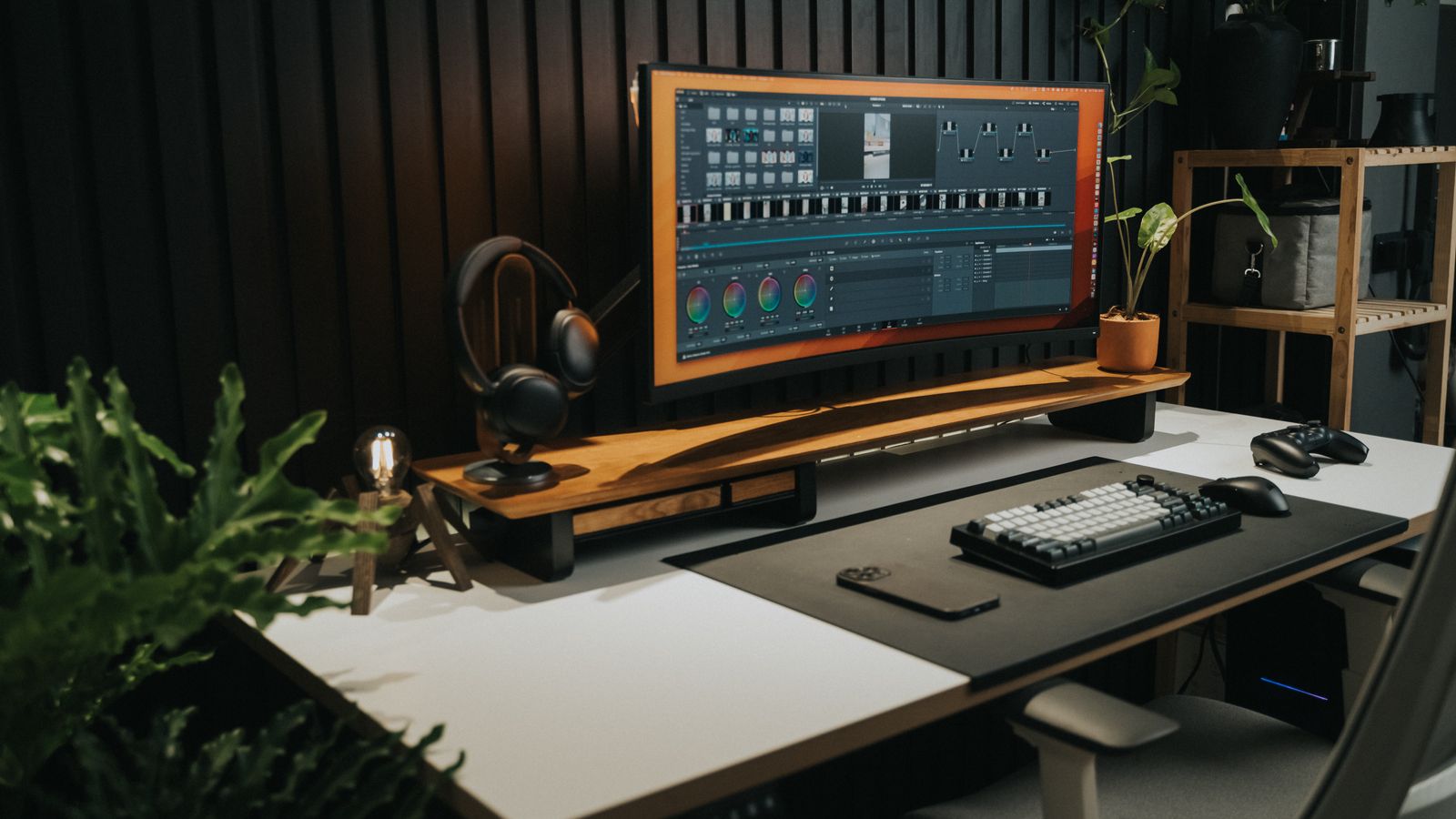
Yes, and many well-optimized desks do exactly that. A common configuration is an ultrawide monitor on a heavy-duty arm as the main display, a laptop on a compact mount beside it at matching height, and an anti glare filter on whichever screen faces the brightest window or overhead light. The three accessories address different axes of comfort — vertical and horizontal positioning, light reflection, and secondary-screen ergonomics — so they are not competing purchases in most cases. The exception is budget: if you can only afford one accessory this cycle, prioritize based on which symptom is most disruptive to your workday.
Budget Guidance: Where to Spend First
If neck or shoulder pain is your main complaint, spend on the monitor arm or laptop mount first — ergonomic positioning has the biggest daily impact on physical comfort and is harder to work around with cheap fixes. If eye strain and glare are the dominant issue and your screen position is already reasonable, a filter is the lower-cost fix, typically well under the price of an arm. For a shared office or open workspace where privacy is also a concern, a privacy-style anti glare filter delivers two benefits in one purchase. Avoid buying the cheapest unrated monitor arm for a wide, heavy ultrawide panel — an underrated arm that sags or drifts will cost you a second purchase anyway.

Quick Decision Checklist
- Is the screen at the wrong height or angle, causing neck or shoulder strain? Choose a monitor arm (ultrawide) or laptop mount.
- Is glare or reflected light the main irritant, even with good screen positioning? Choose an anti glare filter.
- Is your laptop your primary screen, or does it run alongside an external monitor? Choose a mount style that matches that setup.
- Do you need both height correction and reduced reflections? Combine an arm or mount with a filter rather than trying to solve both problems with one accessory.
Frequently Asked Questions
Will a monitor arm fix glare on my screen?
No. A monitor arm changes position and angle, which can reduce glare somewhat by letting you tilt away from a light source, but it will not eliminate reflections the way a dedicated anti glare filter does. If glare persists after repositioning, add a filter.
Do anti glare filters reduce screen sharpness?
Matte-style filters can slightly soften very fine text or thin lines, which is noticeable mainly in detail-heavy design or photo work. Most users doing general office tasks do not notice a meaningful difference, and the reduction in eye strain typically outweighs the minor softness.
Can one arm hold both an ultrawide monitor and a laptop?
Generally no — ultrawide arms are built and rated for a single wide panel. For a combined setup, use a dual-arm system or a separate ultrawide arm alongside a standalone laptop mount rated for its own weight.
How do I know my desk can support a heavy-duty monitor arm?
Check the arm’s clamp range against your desk’s edge thickness, and confirm the desk material can handle the clamp’s clamping force — thin particleboard desks are more prone to marking or flexing under heavy ultrawide arms than solid wood or metal-frame desks.
Is a laptop riser enough, or do I need a full mount?
A fixed riser is enough if you rarely adjust height and mainly want the laptop off the desk surface. A full arm mount is worth the extra cost if you switch between sitting and standing, or if you want the laptop screen matched precisely to an external monitor’s height.
Final Thoughts
Monitor arms for ultrawide displays, anti glare screen filters, and laptop monitor mounts each solve a specific ergonomic or visual problem rather than overlapping competitors. Match the accessory to the actual symptom on your desk — positioning, glare, or laptop-specific ergonomics — and you will get a setup that is genuinely more comfortable rather than one more gadget clamped to the desk edge.