Buying an office chair can feel overwhelming the moment you start scrolling through dozens of models, specs, and price points. The fastest way to cut through the noise is to build a focused shortlist before you ever click “add to cart.” This guide walks you through exactly how to start that shortlist, what criteria actually matter, and how to compare finalists so you land on a chair that fits your body, your budget, and your workspace.

Why a Shortlist Beats Random Browsing
Most shoppers waste hours opening tabs for chairs that were never going to work for them in the first place. A shortlist forces you to define your must-haves first, then filter every option against that list. Instead of comparing 40 chairs on price alone, you compare 4-6 chairs that already meet your baseline requirements: correct size range, adjustability, and budget ceiling. This approach saves time and dramatically reduces the odds of a return.
Step 1: Define Your Non-Negotiables
Before you look at a single product page, write down three or four things the chair absolutely must do. These typically fall into a few categories:
- Body fit: seat width, seat depth, and weight capacity that match your frame.
- Health needs: lumbar support, adjustable armrests, or seat cushioning for conditions like joint pain or lower-back sensitivity.
- Space and style: whether the chair needs to fit a small home office or match a shared workspace aesthetic.
- Budget ceiling: a firm number you won’t exceed, including tax and shipping.
If comfort during long sitting sessions is a priority because of joint or muscle discomfort, it’s worth starting your research with chairs purpose-built for that need, such as Office Chairs for Arthritis, which are designed with easier-to-operate controls and gentler cushioning.
Step 2: Understand the Core Chair Types
Office chairs generally fall into a handful of categories, and knowing which one you need narrows your shortlist immediately.
Ergonomic Mesh Chairs
Breathable, adjustable, and typically the most feature-rich option. Good for long work hours and warmer climates since mesh backs allow airflow.
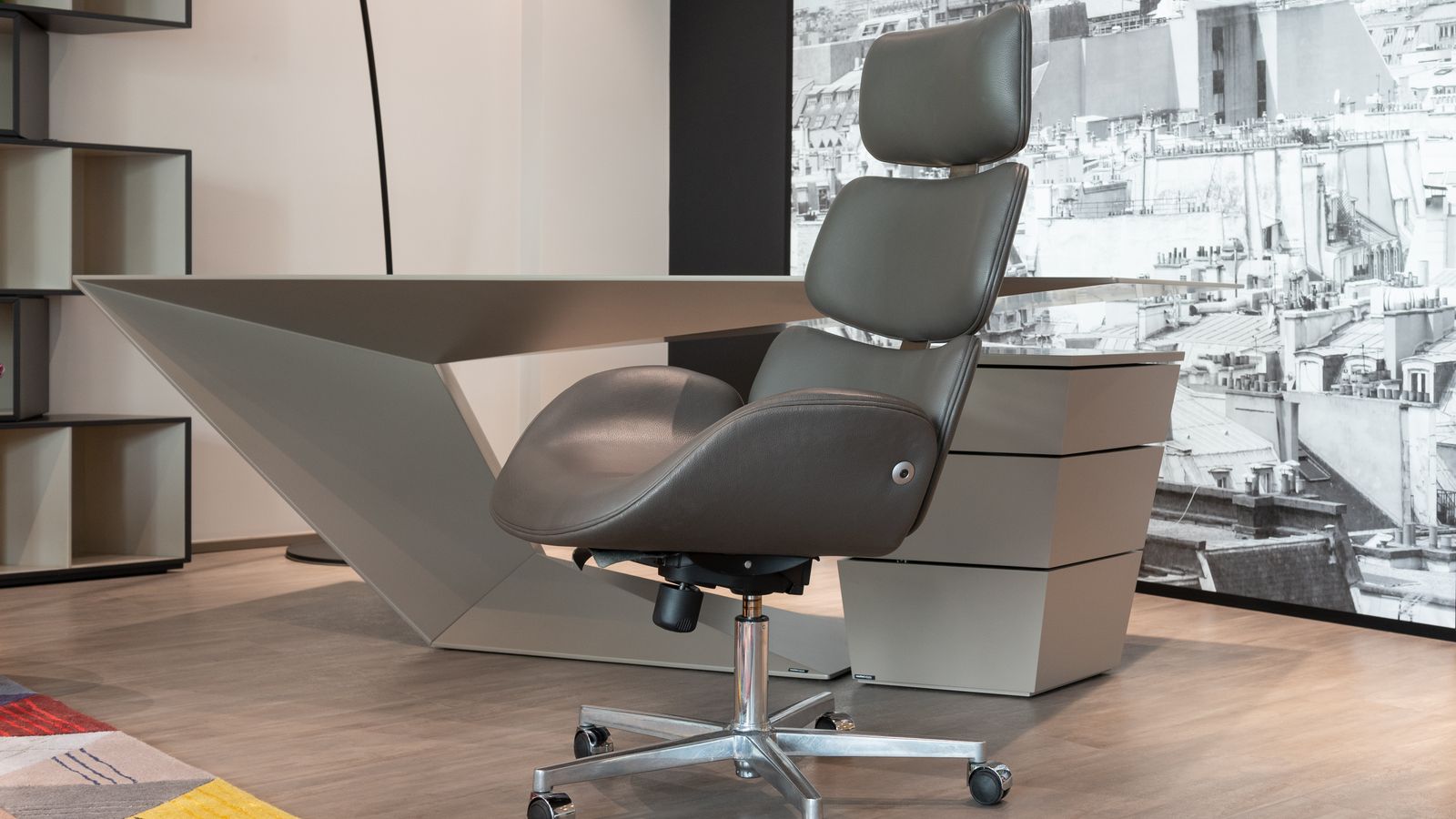
Executive Leather or Faux-Leather Chairs
Padded, formal-looking, and often chosen for style as much as function. They tend to run heavier and can trap more heat than mesh designs.
Task Chairs
Lighter, simpler, and usually more affordable. Good for shorter work sessions or secondary workstations rather than an all-day primary seat.
Specialty Ergonomic Seats
Chairs designed around a specific seat pan shape, such as a waterfall edge that reduces pressure behind the knees during long sitting stretches. If circulation or thigh pressure is a concern, browsing office chairs with waterfall seats is a smart way to shortlist options built specifically for that issue.
Step 3: Set a Realistic Budget Range
Office chairs span an enormous price range, and more money doesn’t always mean more comfort for your specific body. Rather than picking a single number, set a range with a floor and ceiling. Chairs below the floor often skip key adjustability features (like seat depth or lumbar height), while chairs above your ceiling should only make the list if they solve a specific problem the cheaper options can’t. If you want strong ergonomic features without stretching into premium territory, a good starting point is comparing options among best office chairs under $600, which typically include adjustable lumbar support, breathable materials, and sturdy weight ratings without the flagship price tag.

Step 4: Build Your Comparison Table
Once you have three to six candidates that meet your non-negotiables, put them side by side in a simple table. Track the following columns for each chair:
- Seat height range and whether it fits your desk height.
- Seat width and depth compared to your measurements.
- Lumbar support type (fixed, adjustable, or none).
- Armrest adjustability (2D, 3D, 4D, or fixed).
- Weight capacity versus your needs.
- Warranty length.
- Price including any accessories you’ll need.
This table format makes weak spots obvious. A chair that looks great in photos but has a short warranty or limited weight capacity will stand out quickly once it’s next to its competitors on paper.
Step 5: Weigh Adjustability Over Aesthetics
It’s tempting to prioritize how a chair looks in your home office, but adjustability is what determines whether you’ll actually be comfortable eight hours a day. Focus on features that let the chair conform to you, not the other way around: seat depth sliders, independently adjustable armrests, tilt tension control, and lumbar height adjustment. A plain-looking chair with excellent adjustability will outperform a stylish one with fixed components almost every time.
Step 6: Read Reviews for Patterns, Not Opinions
Individual reviews are noisy – one person’s “too firm” is another’s “perfect support.” Instead of reading reviews as isolated opinions, look for repeated patterns across dozens of them. If multiple reviewers mention the armrests loosening after a few months, or the lumbar support being too aggressive for smaller frames, that’s a signal worth weighing heavily. Patterns across many reviews are far more reliable than any single five-star or one-star post.
Step 7: Test Before You Commit, When Possible
If you have access to a showroom or a friend with the same model, sit in the chair for at least ten minutes before finalizing your decision. Pay attention to how your lower back feels, whether your feet rest flat on the floor, and whether the armrests line up with your desk height. If in-person testing isn’t an option, prioritize retailers with generous return windows so you have a real trial period at home.
Common Mistakes When Building a Shortlist
- Skipping measurements: guessing at seat width or height leads to chairs that look fine online but feel wrong in person.
- Chasing brand names over fit: a well-reviewed chair from a lesser-known brand can outperform a flagship model if it matches your body better.
- Ignoring the floor and desk setup: a chair that’s perfect on carpet may roll poorly on hardwood, or vice versa, depending on the caster type.
- Overlooking assembly complexity: some chairs take an hour or more to build; check assembly reviews if that matters to you.
- Buying the most expensive option “to be safe”: higher price doesn’t guarantee better fit for your specific needs.
Matching Chair Features to How You Actually Work
The best shortlist accounts for your real work habits, not an idealized version of them. If you spend most of your day on video calls, a chair with a headrest and quiet, smooth-rolling casters matters more than aggressive lumbar articulation. If you switch between sitting and standing frequently at a height-adjustable desk, look for a seat height range that overlaps comfortably with your desk’s lowest setting. Someone who works from a shared or multi-user space should weigh ease of adjustment (simple levers versus multi-step dials) more heavily than someone who sets a chair once and never touches the controls again.
It also helps to think about how long each sitting session typically lasts. Short, frequent breaks change your priorities compared to marathon eight-hour stretches. If you rarely leave your desk, cushion density and breathability climb to the top of the list. If you’re constantly up and down, ease of getting in and out of the chair and swivel smoothness become more relevant than they might seem at first glance.
A Quick Decision Checklist Before You Buy
Run through this final checklist once your shortlist is down to its last few contenders:
- Does the seat height range overlap with your desk height, including any keyboard tray?
- Can you adjust lumbar support to sit comfortably against your lower back without extra cushions?
- Are the armrests positioned so your shoulders stay relaxed, not shrugged?
- Does the chair’s weight capacity include a safety margin above your body weight?
- Is the return policy long enough to cover a genuine multi-week trial period?
- Do the casters match your flooring type (hard floor versus carpet)?
If you can answer yes to all six, you’ve likely found a chair worth committing to. If two or more answers are uncertain, it’s worth spending another few days comparing alternatives rather than settling.
How Many Chairs Should Be on Your Final Shortlist?
A shortlist of five to seven chairs tends to be the sweet spot. Fewer than that and you risk not having a solid fallback if your top pick is out of stock or doesn’t fit as expected. More than that, and the comparison process becomes just as overwhelming as browsing without a plan. Once you’ve narrowed to your finalists, revisit your non-negotiables list one more time before making the purchase.
Frequently Asked Questions
How long should I spend building a shortlist?
Most people can build a solid shortlist in under an hour once they know their measurements and budget range. The comparison table step is where most of that time goes, and it’s worth the investment to avoid a return.
Should I prioritize price or ergonomics first?
Set your budget ceiling first, then optimize for ergonomics within that range. A chair that’s slightly cheaper but lacks proper lumbar support often costs more in comfort and potential back strain over time.
Is it worth buying a chair without trying it in person?
Yes, as long as the retailer offers a real return or trial period. Many online-only ergonomic chair brands build their entire model around risk-free trials specifically because in-person testing isn’t always available.
What if none of my shortlisted chairs feel perfect?
Go back to your non-negotiables list and check whether you were too broad or too narrow. Sometimes a small tweak, like adding an aftermarket lumbar cushion, can fix a near-perfect chair rather than starting the search over.
Final Thoughts
Getting started with an office chair shortlist doesn’t require expert-level furniture knowledge – it just requires a clear process. Define your non-negotiables, understand the chair types available, set a realistic budget, and compare finalists side by side using real measurements instead of guesswork. Whether you’re managing joint discomfort, looking for pressure-relieving seat designs, or simply trying to stay within a reasonable price range, following this step-by-step approach will get you to a confident purchase decision much faster than aimless browsing ever will.