Working from a smaller apartment, a shared room, or a converted closet doesn’t mean you have to give up a functional workspace. Downsizing your home office desk setup is entirely possible without sacrificing the tools and comfort you rely on every day — you just need a smarter approach to space, storage, and equipment choices. This guide walks you through a practical process for shrinking your footprint while keeping your productivity, ergonomics, and workflow intact.

What You’ll Need Before You Start
Before you move a single item, gather the essentials that make a downsizing project go smoothly. Having the right tools on hand prevents wasted trips and half-finished setups.
- A tape measure for the new space and any furniture you plan to keep
- Masking tape or painter’s tape to mark out the desk footprint on the floor
- A notepad or phone app to track cable lengths, outlet locations, and furniture dimensions
- Storage bins or boxes for items you’re archiving, donating, or discarding
- A small toolkit (screwdriver, Allen keys) for disassembling and reassembling furniture
- Cable ties, clips, or a cable sleeve for managing wires in the new layout
Step 1: Audit What You Actually Use
Start by observing your current desk for a few days and noting what you touch daily versus what sits untouched. Most home offices accumulate items — extra monitors, decorative objects, stacks of paper — that no longer serve an active purpose. Separate your equipment into three piles: daily essentials, occasional-use items, and things you can store elsewhere or remove entirely. This audit is the foundation of a successful downsize, because you can’t shrink a space until you know what genuinely needs to fit in it.
Step 2: Measure Your New Space Precisely
Once you know what’s staying, measure the room or nook where the smaller setup will live. Note the width, depth, and height available, plus the location of outlets, windows, and doors that affect furniture placement. Use painter’s tape on the floor to outline the exact footprint of a potential desk before you buy or move anything — this simple trick prevents the common mistake of choosing a desk that looks fine on paper but feels cramped in person.
Step 3: Choose a Desk That Matches the New Footprint
A smaller desk doesn’t have to mean a worse one. Look for compact desks with built-in cable management, a slim profile, and enough surface area for a keyboard, mouse, and one monitor at minimum. If you currently use a sit-stand desk, consider whether a model with memory presets can help you reclaim floor space by tucking the desk fully down when not in use, since programmable height settings let you switch between sitting and standing instantly without needing extra floor clearance for manual adjustment. You can compare options built for this kind of flexibility among standing desks with memory presets if you want height-adjustable functionality in a smaller footprint.
Step 4: Consolidate Storage Vertically
When floor space shrinks, storage has to go up instead of out. Wall-mounted shelves, pegboards, and floating cabinets keep supplies within reach without eating into your desk’s usable surface. Prioritize open, easy-access storage for items you use daily and closed storage (bins or drawers) for backup supplies. A single narrow shelf above the desk can often replace an entire filing cabinet’s worth of clutter if you’re disciplined about what stays out.
Step 5: Simplify Your Tech Setup
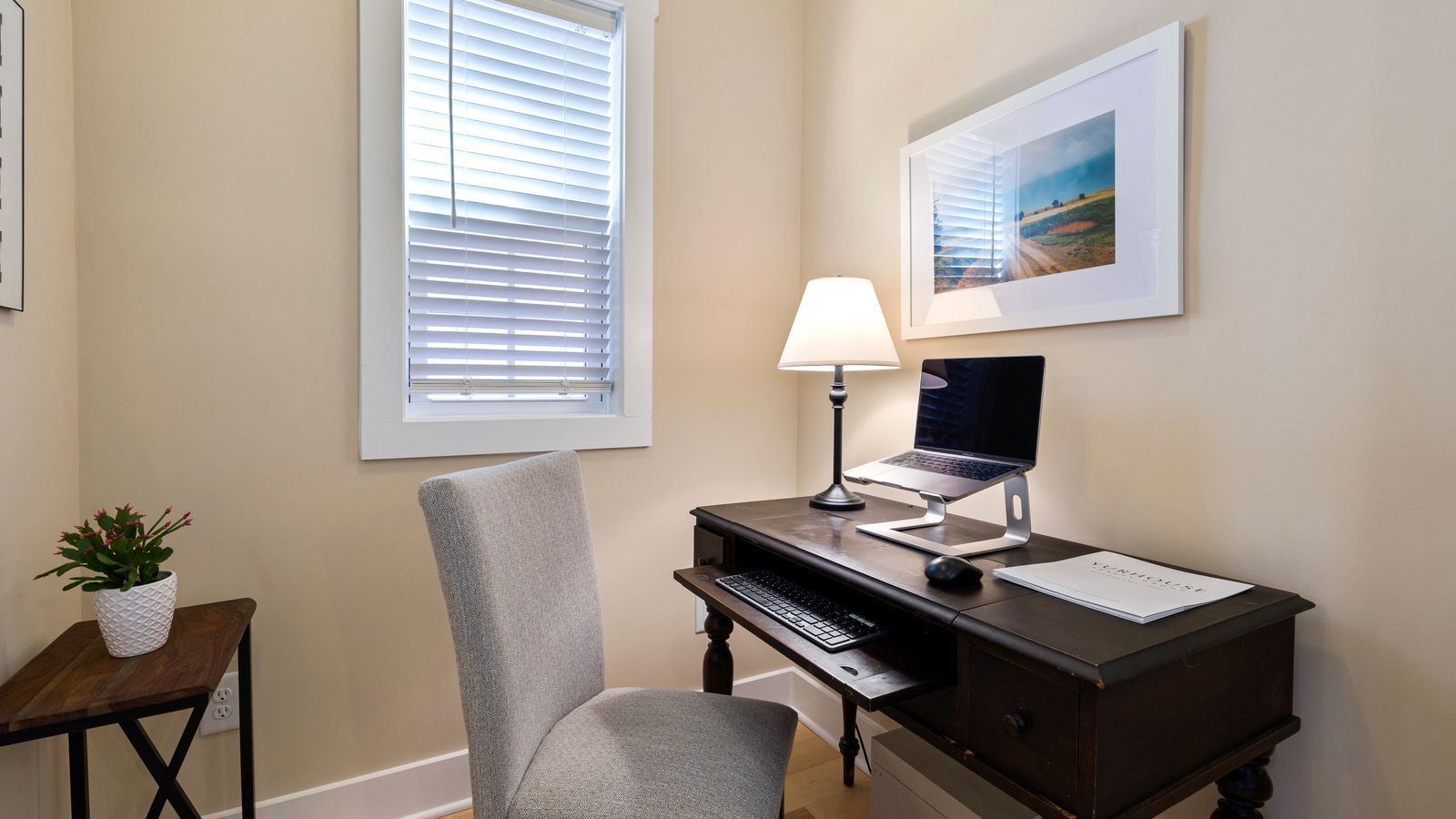
Multiple monitors, external drives, and a tangle of cables all compete for space on a small desk. Consider whether a single larger monitor can replace a dual-monitor setup, or whether a monitor arm can free up desk surface by lifting the screen off the tabletop entirely. Wireless keyboards and mice also reduce cable clutter significantly. If you’re furnishing the new space from scratch, browsing coordinated home office furniture sets can help you find pieces designed to work together in a smaller footprint rather than mismatched furniture that fights for space.
Step 6: Rethink Personal Touches
It’s tempting to fill a home office with photos, plants, and decorative objects, but in a downsized space, every item competes for limited surface area. Choose one or two meaningful pieces instead of a dozen small ones — a single well-placed accessory reads as intentional, while a cluttered collection reads as chaos. Even something as small as one of the best desk clocks can add personality and function (checking the time without picking up your phone) without taking up much room.
Step 7: Test the Layout Before Committing
Once your desk and storage are in place, sit down and run through a normal workday before making the setup permanent. Check that your monitor is at eye level, your keyboard and mouse have enough clearance, and your most-used items are within arm’s reach. Small adjustments at this stage — moving a shelf six inches, angling the desk toward a window — are far easier than redoing the whole layout after you’ve settled in.
Common Mistakes to Avoid
- Buying furniture before measuring. A desk that looks compact online can still be too deep or too wide for your actual space.
- Keeping “just in case” items on the desk. Rarely used supplies belong in closed storage, not on your primary work surface.
- Ignoring cable management. A tangle of cords makes even a small desk feel cluttered and chaotic.
- Skipping ergonomics to save space. Don’t sacrifice monitor height or seating comfort just to fit more onto a smaller surface — use vertical space and accessories instead.
- Downsizing everything at once. Move essentials first, live with the setup for a week, then decide what else can go.
Safety and Comfort Notes
A smaller desk setup should never come at the cost of good posture or safe cable routing. Keep power strips and cables away from walkways, make sure monitor arms and shelves are securely anchored to studs when possible, and confirm your chair and desk height still support a neutral wrist and eye-line position even in the tighter layout. Downsizing is about efficiency, not compromise on health and safety.
FAQ
How small can a home office desk be and still be functional?
Many people work comfortably on desks as narrow as 24 to 30 inches deep, as long as the keyboard, mouse, and monitor are positioned correctly and clutter is kept off the surface. Function depends more on organization than raw square footage.
Should I get rid of my second monitor when downsizing?
Not necessarily — a monitor arm can mount a second screen above or beside the primary one without adding desk depth. If space is extremely tight, though, switching to one larger, higher-resolution monitor is often the simplest fix.
What’s the best way to handle paperwork in a smaller office?
Digitize what you can and keep only active documents within reach. A slim wall-mounted file organizer or a single small drawer is usually enough once paperwork is thinned out.
Do I need a standing desk if I’m downsizing?
It’s optional, but a compact standing desk with programmable presets can actually save space compared to a traditional desk plus a separate stretching or standing station, since it adapts to multiple postures in one footprint.
How often should I reassess my downsized setup?
Revisit your layout every few months, especially after a change in work habits or equipment. A quick audit keeps clutter from creeping back in and ensures the space still matches how you actually work.
Final Thoughts
Downsizing a home office desk setup is less about giving things up and more about being deliberate with what stays. By auditing your essentials, measuring carefully, using vertical storage, and choosing furniture built for smaller footprints, you can maintain a fully functional workspace in a fraction of the space. Take it step by step, test the layout before finalizing it, and you’ll end up with a home office that feels efficient rather than cramped.