Streaming in a small bedroom, dorm, or apartment corner comes with a unique challenge: you need enough surface for a camera, lighting, microphone arm, and PC, but you cannot sacrifice the little floor space you have. Picking the best streaming desk for small spaces means balancing footprint, cable management, and gear capacity without cluttering the room. This guide walks you through exactly what to look for, step by step, so you end up with a setup that looks professional and still fits your room.
What You’ll Need Before You Start
Before shopping, gather a few basics so you can measure and compare desks accurately against your actual streaming gear rather than guessing.
- A tape measure for your room corner or wall space
- A list of your current or planned gear: monitor(s), PC or console, camera, mic arm, lighting, capture card
- Painter’s tape to mark out desk dimensions on the floor
- A notebook or phone note to track dimensions, weight capacity, and cable-management features of each desk you compare
Step 1: Measure Your Available Space First
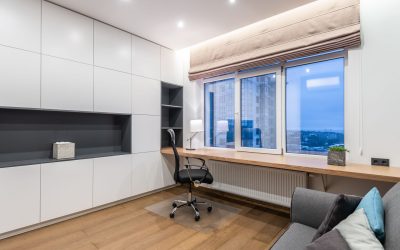
Start by measuring the width, depth, and height of the area where the desk will go. In small rooms, corner nooks and wall alcoves are often the most efficient use of space. Mark the footprint with painter’s tape on the floor and walk around it to confirm you still have clearance for your chair, door swing, and any storage nearby. A desk that is 3 to 4 feet wide and 20 to 24 inches deep is usually enough for a single-monitor streaming setup, while dual-monitor rigs typically need closer to 5 feet of width.
Step 2: Decide Between a Corner, L-Shape, or Compact Rectangular Desk
Small-space streaming desks generally fall into three shapes:
- Corner desks tuck into an unused room corner and maximize surface area without extending into walking paths.
- Compact L-shaped desks give you a separate zone for your PC tower or console and another for camera and lighting, useful if you record and edit at the same station.
- Rectangular or floating desks mount to the wall or sit flush against it, saving floor space and simplifying cable runs.
If your room is under 100 square feet, a corner or floating desk usually wins. If you need dedicated zones for streaming and gaming separately, a compact L-shape is worth the extra footprint.
Step 3: Prioritize Cable Management Features
Streaming setups involve more cables than a typical desk: power for your PC, HDMI or capture card lines, mic and headphone cords, and lighting cables. Look for desks with built-in grommet holes, cable trays underneath the surface, or a rear channel that keeps wires off the floor. In a small room, tangled cables are more noticeable and more likely to become a tripping hazard, so this feature matters more than it would in a spacious office.
Step 4: Check Weight Capacity and Surface Stability
A streaming desk needs to hold more than a laptop and a lamp. Between a monitor arm, PC tower, capture equipment, and lighting rigs clamped to the edge, weight adds up fast. Confirm the desk’s stated weight capacity covers your full gear list with some margin, and avoid desks with thin particleboard tops if you plan to clamp a monitor arm or boom mic stand directly to the surface — these clamps need a sturdy edge, usually at least 1 inch thick, to stay secure.
Step 5: Consider Height and Ergonomics
Long streaming sessions mean you’ll be sitting for hours, so desk height matters as much as footprint. Standard fixed-height desks sit around 28 to 30 inches, which works for most seated setups, but if you plan to stand occasionally or share the desk with someone of a different height, a sit-stand or height-adjustable model is worth the extra cost even in a small room — many compact adjustable desks now fit the same footprint as fixed models.
Step 6: Match the Desk to Your Content Type
Your streaming category should influence desk choice. A gaming streamer needs surface space for a mechanical keyboard, mouse, and possibly a controller, plus room for RGB accessories. A music or podcast streamer needs a stable, vibration-resistant surface for a mixer or audio interface — this is where a desk built like the options in our best music studio desks roundup can outperform a generic small desk, since those models are designed around interface placement and vibration control. If your content leans toward crafts, sewing, or hobby streaming, a hybrid work surface such as those covered in our sewing tables guide can double as both a hobby station and an on-camera setup.
Step 7: Test Monitor and Camera Placement
Before finalizing your choice, mock up your monitor and camera positions using boxes or books at the desk’s approximate height and depth. Your camera should sit at eye level without extending so far forward it blocks your monitor, and your webcam or DSLR mount needs enough desk depth behind it to avoid tipping. If the desk is too shallow, your camera setup may end up crowding your keyboard space, which becomes frustrating during long streams.
Step 8: Compare Finished Options and Narrow Down
Once you know your shape, size, and weight requirements, compare a shortlist of models directly against each other. Our streaming desks roundup breaks down 8 options across budgets and sizes, making it easier to see which models actually fit small-room dimensions versus which ones are better suited to larger studio spaces.
Safety Notes
- Never overload a desk beyond its rated weight capacity — sagging shelves or wobbly legs increase the risk of dropped equipment.
- Keep power strips off the floor when possible, especially in small rooms where foot traffic is close to the desk.
- Anchor tall monitor arms or shelving to a wall stud if the desk itself isn’t rated for heavy vertical loads.
Common Mistakes to Avoid
- Buying based on looks alone. A sleek minimalist desk may lack the grommet holes or weight capacity your gear actually needs.
- Ignoring depth. Width gets most of the attention, but shallow desks cause camera and monitor placement headaches.
- Skipping the cable plan. Retrofitting cable management after the desk arrives is far harder than choosing a desk with it built in.
- Underestimating clamp-on accessories. Monitor arms, mic booms, and light stands all need a solid edge — thin desktops flex and loosen over time.
Frequently Asked Questions
What is the minimum desk size for a streaming setup?
Most single-monitor streaming setups can work with a desk around 32 to 40 inches wide and at least 20 inches deep, though more depth is helpful if you use a camera and boom mic.
Should I choose a standing desk for a small streaming room?
If budget allows, yes — a compact height-adjustable desk offers the same footprint as a fixed desk while giving you the option to stand during long sessions, which can help with posture and fatigue.
Do I need a corner desk if my room is small?
Not always, but corner desks generally make the most efficient use of limited square footage since they use wall space that would otherwise go unused.
How do I keep cables tidy on a small desk?
Look for desks with built-in cable trays or grommet holes, and route power strips underneath the desk on a mounted tray rather than letting cords hang loose.
Choosing the right streaming desk for a small space comes down to measuring carefully, prioritizing cable management and stability, and matching the desk shape to your available footprint and content type. Take the time to test your gear layout before committing, and you’ll end up with a setup that feels spacious even in a compact room.