Furnishing a home office does not have to mean spending your entire paycheck on a single desk. Between a full standing desk, a desk riser that sits on top of what you already own, and a rolling utility cart for extra storage, there are several ways to build a comfortable workspace at very different price points. This guide walks through how to set a realistic budget, compares the three most common desk-setup options, and helps you decide which combination makes the most sense for your space and your wallet.

Step 1: Set Your Total Budget Before You Shop
Before browsing any product pages, decide on a total number you are comfortable spending on the entire setup — desk, storage, and accessories combined. Splitting that number into three rough buckets makes planning easier:
- Core desk surface — the largest share, whether that is a full standing desk or your existing desk plus a riser.
- Storage and mobility — a utility cart, drawer unit, or shelf for supplies you use daily.
- Small accessories — cable management, a monitor arm, or an anti-fatigue mat.
A sensible starting split is roughly 60% desk surface, 25% storage, and 15% accessories, though this shifts depending on which desk option you choose below.
Step 2: Understand Your Three Main Options
Most home office budgets end up choosing between three approaches, each with a different upfront cost and a different footprint.
Option A: A Dedicated Standing Desk
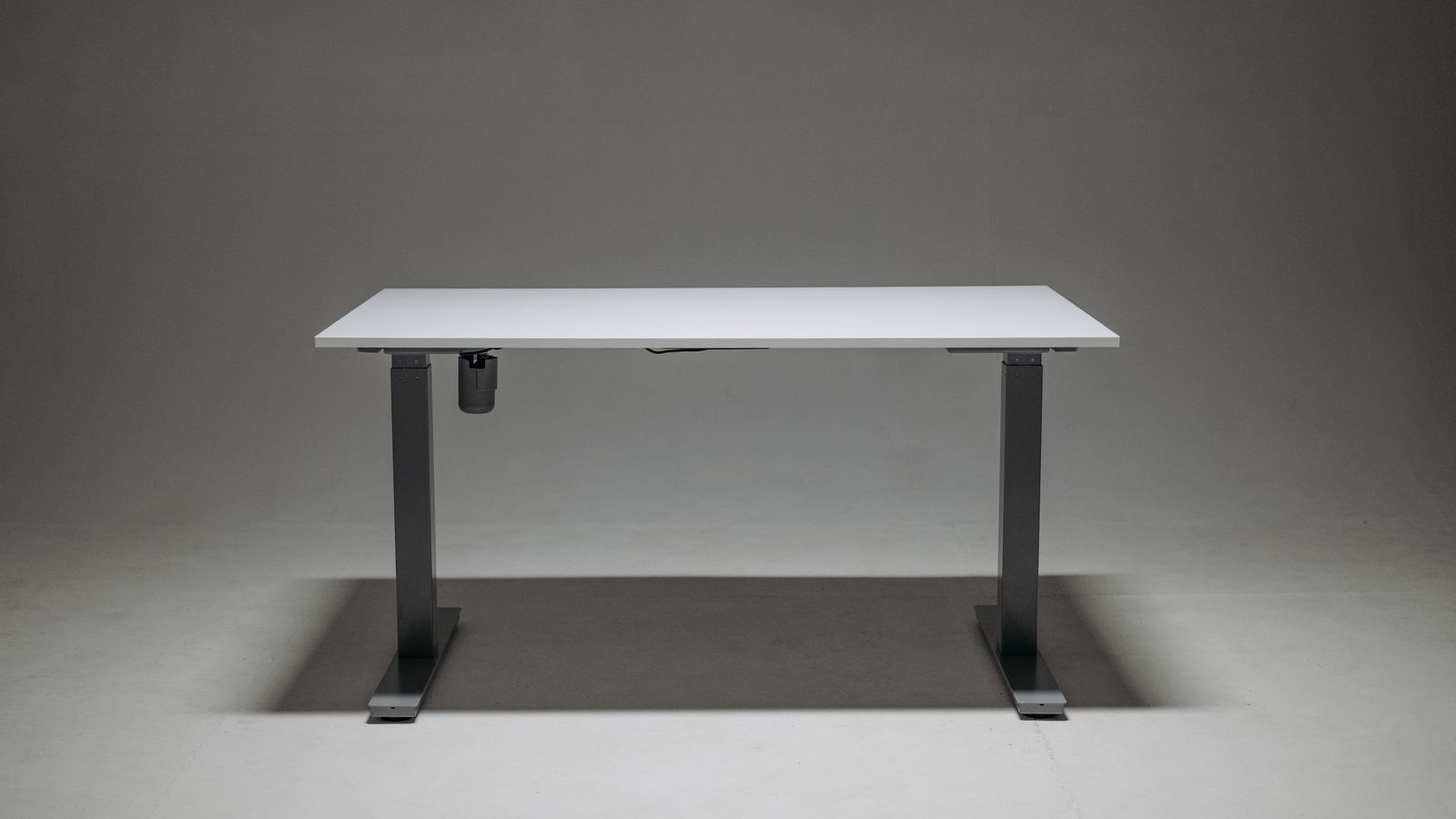
A purpose-built standing desk — either manual crank or electric — replaces your existing desk entirely. It gives you a full-width, height-adjustable surface, which is ideal if you plan to alternate between sitting and standing for long stretches of the workday. This is the most expensive option upfront, but it eliminates the need for a separate riser and often includes built-in cable trays and memory-height presets. If this route fits your budget, browse standing desks for home offices to compare frame types, weight capacities, and price tiers before committing.
Option B: A Desk Riser on Top of Your Current Desk
A desk riser sits on top of the desk you already own and lifts your monitor and keyboard to standing height when you want it, then folds or lowers back down. This is by far the most budget-friendly way to get the health benefits of sit-stand work without buying a new desk frame. It also has the advantage of being portable — you can move it to a different desk or take it with you if you relocate. The tradeoff is a smaller usable surface and, on some models, a bit of wobble at full height. If you already like your current desk, compare desk risers to find one rated for your monitor and keyboard weight.
Option C: A Utility Cart for Extra Storage and Flexibility
A utility cart is not a desk replacement — it is a rolling, multi-tier storage unit that can hold a printer, files, a plant, or extra monitor accessories next to whichever desk setup you choose. Carts are inexpensive relative to desks and add real flexibility in small home offices where built-in drawers are not an option. Many people pair a cart with either a standing desk or a riser to keep the main work surface clear. See best utility carts for options sized for tight corners versus larger multi-shelf models.
Step 3: Compare Cost, Space, and Effort
Each option trades cost against convenience and floor space differently. A quick side-by-side helps clarify which fits your situation:
- Standing desk — highest cost, largest footprint, but the smoothest daily experience and no extra furniture needed.
- Desk riser — lowest cost of the three, keeps your existing desk, but takes up desktop depth and has a lower weight limit.
- Utility cart — low cost, adds storage without competing for desk space, but does not replace or elevate your work surface at all.
If your room is small, a riser plus a slim utility cart often beats a full standing desk on both price and space. If you have room to spare and plan to work at that desk for years, a dedicated standing desk usually pays for itself in comfort.
Step 4: Build a Setup That Matches Your Budget Tier
Tight Budget
Keep your current desk, add an affordable desk riser, and skip the cart initially — use a nearby shelf for storage instead. This gets you sit-stand flexibility for the lowest possible outlay.
Mid-Range Budget
Pair a mid-tier desk riser with a small two- or three-shelf utility cart. This combination covers both ergonomics and extra storage without the cost of a full desk replacement.
Higher Budget
Invest in a dedicated electric standing desk and add a utility cart for peripherals and supplies. This setup gives you the most usable surface area and the smoothest long-term experience, especially if you spend eight or more hours a day at your desk.
Step 5: Account for Hidden Costs
When budgeting, remember to factor in items that are easy to forget:
- Cable management trays or clips, especially if you go with a standing desk that moves.
- An anti-fatigue mat if you plan to stand for extended periods.
- Shipping and assembly time — some desks and carts arrive flat-packed and take an hour or more to build.
- A small buffer, roughly 10% of your total budget, for accessories you discover you need after using the setup for a week or two.

Common Mistakes to Avoid
- Buying the desk before measuring the room. Standing desks in particular need clearance behind the chair for the legs to extend fully when raised.
- Ignoring weight limits. Desk risers and standing desk tops both have maximum load ratings — stacking two monitors, a laptop, and a printer on a riser rated for less will cause sag or tipping over time.
- Skipping the cart and overloading the desk. Piling supplies onto a standing desk defeats the point of a clear, adjustable surface — a cart keeps the desktop usable.
- Choosing the cheapest option without checking stability. A wobbly riser or a cart with weak casters can be more frustrating than useful; read specs on weight capacity and stability before buying based on price alone.
Frequently Asked Questions
Is a desk riser as good as a standing desk?
A desk riser gives you most of the sit-stand benefit at a fraction of the cost, but it offers less surface area and a lower weight capacity than a dedicated standing desk. For occasional standing throughout the day, a riser is usually enough.
Do I need a utility cart if I already have desk drawers?
Not necessarily. A cart is most useful when your desk has little or no built-in storage, or when you want mobile storage you can roll between rooms.
How much should I budget for a full home office desk setup?
It depends heavily on which option you choose. A riser-plus-cart combination is the most affordable route, while a full standing desk with a cart sits at the higher end. Set your total number first, then allocate it across the desk, storage, and accessories as outlined above.
Can I upgrade later instead of buying everything at once?
Yes. Many people start with a desk riser and a small cart, then upgrade to a full standing desk once they know how much they actually use the sit-stand feature. Buying in stages is a practical way to stay within a tight starting budget.
Final Thoughts
There is no single “right” way to budget for a home office desk setup — the best choice depends on your room size, how long you sit each day, and how much storage you actually need nearby. Start by deciding your total spend, then work through the standing desk, desk riser, and utility cart options above to see which combination covers your needs without overspending. A little planning upfront saves you from buying furniture you later have to replace.