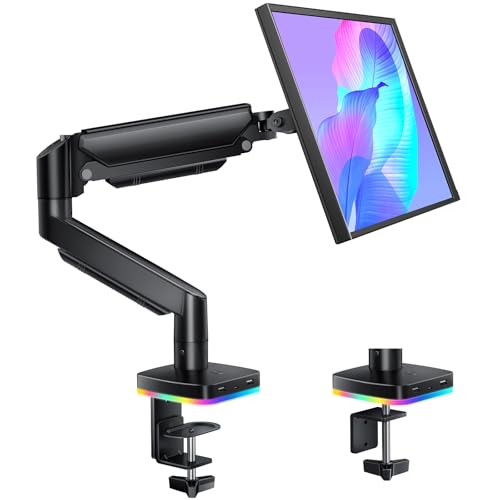
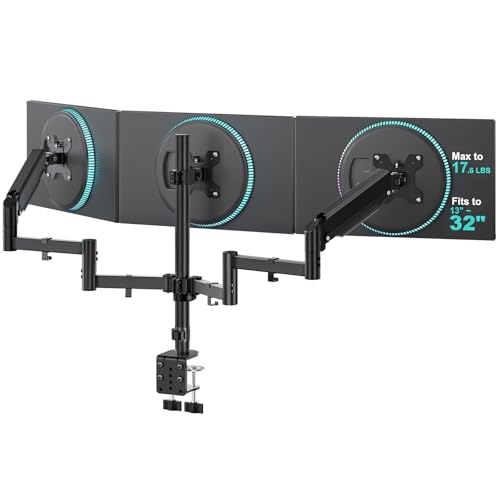
If you’ve spent any time comparing monitor mounts, you’ve probably noticed that some listings call out “gas spring” while others just say “adjustable” or “spring-loaded.” That one spec matters more than it looks. A gas spring monitor arm swaps the plain tension screw found on basic mounts for a sealed, pressurized cylinder, and that single part changes how the whole arm feels every time you touch it. This guide explains what that mechanism actually is, how it differs from a purely mechanical arm, and which real gas spring monitor arms available on Amazon right now are worth a closer look.
Quick answer: For most single-monitor desks, the HUANUO Gas Spring Monitor Arm is the best all-around pick — it uses a genuine pressurized cylinder rated for 4.4 to 19.8 pounds, lifts and lowers with one hand, and holds its position at any height without a separate tension knob. If you need a broader shortlist, the 9 options below span single-arm, dual-arm, and heavy-duty builds, and every one of them was checked against its product listing to confirm a genuine gas-spring or pneumatic mechanism rather than a plain mechanical spring dressed up with similar language.


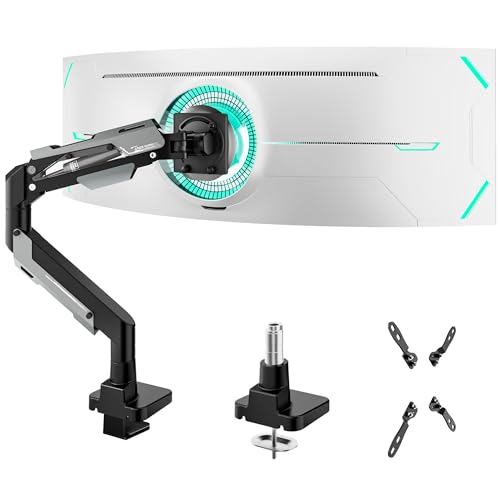

What Is a Gas Spring Monitor Arm?
Inside one of these mounts sits a sealed metal cylinder filled with compressed nitrogen gas and a piston. As you push down or pull up on the arm, the piston moves inside the cylinder, and the compressed gas pushes back with just enough force to counterbalance the monitor’s weight. That counterbalance is the whole trick: instead of fighting gravity with a screw you have to loosen and retighten, it meets the weight of your screen halfway, so a light push in either direction is all it takes to reposition it.
This is different from how a lot of people picture “spring” hardware working. There’s no coiled metal spring stretching and contracting here — it’s a pneumatic system, closer in principle to the strut that holds your car’s hatchback open than to a doorstop spring. When it’s properly matched to your monitor’s weight, it stays exactly where you leave it, whether that’s raised for standing work or lowered for a seated setup, without drifting up on its own or slowly sagging over the course of a day.
Gas Spring vs. Mechanical Monitor Arms
Not every adjustable monitor mount uses a gas spring. Plenty of budget arms rely on a purely mechanical design — a bolt-and-washer friction joint you tighten with an included wrench, or a basic coil spring under tension. Both work, but the feel is noticeably different from a monitor arm with a gas spring. On a mechanical arm, you typically set the height once, snug the tension screw, and leave it alone; readjusting means loosening hardware, repositioning, then retightening, and repeated adjustment tends to wear the friction joint loose over months of use.
This design skips that cycle. You just lift or lower the screen with one hand, and the cylinder does the resisting work instantly, with no tools and no loosening step. It’s worth knowing that this “mechanical vs. gas spring” split isn’t the only mechanism family out there — some arms use coil-spring tension bars, and a few hybrid designs combine a spring-assisted joint with manual friction locks for tilt. But for the height-adjustment motion itself, gas spring and purely mechanical are the two mechanisms shoppers run into most often, and they feel meaningfully different in daily use.
Top Picks at a Glance
- Best Overall: HUANUO Gas Spring Monitor Arm
- Best Budget: GRIFEMA Gas Spring Monitor Mount
- Best from a Trusted Brand: Amazon Basics Gas Spring Single Monitor Arm
- Best for Gaming Setups: MSI MAG MT101G Gas Spring Monitor Arm
- Best for a Wide Screen Range: Acer Single Monitor Mount Gas Spring Arm
- Best for Dual Monitors: Acer Dual Monitor Arm Gas Spring Stand
- Best Budget Dual Setup: Amazon Basics Gas Spring Dual Monitor Arm
- Best Premium / Heavy-Duty: ARES WING Heavy Duty Gas Spring Monitor Arm
- Best for Ultrawide Dual Setups: VIVO Dual Pneumatic Arm Ultra-Wide Monitor Mount
Why Gas Spring Arms Feel Smoother in Daily Use
The practical difference shows up the moment you start changing your setup during the day rather than once and forgetting it. If your desk sits next to a sit-stand base, you’ll be raising and lowering the monitor every time you switch positions, and a gas spring monitor arm makes that a one-handed, few-second motion instead of a two-handed wrestling match with a tension knob. The same goes for rotating a screen into portrait mode for reading long documents, or nudging the height slightly after you switch chairs — small, frequent adjustments are exactly where this mechanism earns its keep.
There’s also less long-term wear to worry about. A mechanical friction joint loosens gradually with repeated tightening and loosening, which is why some older tension-knob arms start to droop after a year or two of daily use. Its cylinder isn’t subject to that same friction fatigue, since the resistance comes from sealed gas pressure rather than a bolt clamping down on metal plates. That said, it’s still a mechanical part with a finite lifespan, and a cylinder that’s been badly mismatched to a monitor’s weight for a long time can lose some of its lift over the years.
Weight Rating Still Matters — Matching the Cylinder to Your Monitor
Here’s the part that trips up a lot of first-time buyers: a gas spring monitor arm isn’t magic, and it isn’t infinitely adjustable to any weight. Each cylinder is built and pressurized for a specific load range, usually printed on the listing as something like “4.4 to 19.8 lbs” or “up to 26.4 lbs per arm.” If your monitor sits below that range, the arm will feel stiff to pull down and may drift upward on its own, since the gas pressure is pushing harder than your lighter screen needs. If your monitor is heavier than the rated range, the opposite happens — the arm slowly sags lower over the course of a day because the gas spring can’t fully counterbalance the extra weight.
This is the same underlying idea covered in more depth in our guide to monitor arms built for heavy monitors, but the two questions are different. That guide is about maximizing capacity for a genuinely heavy or ultrawide screen. Here, the focus is the mechanism itself — understanding that any of these arms, light-duty or heavy-duty, only performs well when its rated range actually matches what you’re mounting. Before buying, weigh your monitor (or check the manufacturer spec sheet) and compare it against the arm’s stated range, leaving a little headroom rather than buying right at the maximum.
Single-Arm vs. Dual-Arm Gas Spring Mounts
Single monitor arms with gas springs are the simplest version of this mechanism — one cylinder, one screen, one clamp or grommet base. Dual-arm mounts add a second monitor, and on a genuine dual gas spring monitor arm, each arm typically has its own independent cylinder rather than sharing one mechanism. That matters if you run two different-sized monitors side by side, since each arm can be matched to its own screen’s weight rather than compromising between the two.
Stacked or ultrawide dual mounts work a little differently — some use a single heavier-duty arm positioned to hold two panels as one wider load, especially for curved ultrawide setups. When comparing dual options, check whether the listing specifies weight capacity “per arm” or as a combined total, since that changes how much monitor you can actually hang on each side.
Are Gas Spring Monitor Arms Worth the Extra Cost?
These mounts generally cost more than basic mechanical mounts with similar reach, and it’s fair to ask whether the difference is worth paying for. If you set your monitor height once and rarely touch it again, a simple mechanical arm with a tension screw will do the job fine, and there’s no real need to pay a premium for a mechanism you won’t use often. But if you switch between sitting and standing, share a desk with someone else who needs a different height, or just prefer not to fuss with a wrench every time you nudge your screen, the smoother motion tends to justify the extra cost fairly quickly.
It’s also worth remembering that a gas cylinder is a sealed, non-serviceable part. If it loses pressure over time — which is uncommon but does happen, especially on lower-cost units — most consumer-grade arms aren’t designed for you to repressurize or repair, so a warranty and a reasonably established brand are worth considering alongside price.
How We Evaluated These Picks
Every product on this list was checked directly against its Amazon listing to confirm the mechanism is genuinely a gas spring or pneumatic cylinder, not just marketing language borrowed from “spring-loaded” or “mechanical spring” arms that use a different design. Beyond mechanism verification, we looked at the stated weight range and how clearly it was listed, VESA hole pattern compatibility, whether the mounting base offered both C-clamp and grommet options, range of motion for tilt and swivel, and how consistent the customer review history was across a meaningful number of ratings. We did not run these arms in a physical lab — the picks are built entirely from verified product data and listing details rather than in-hand testing, so treat the notes here as a shortlist to compare rather than a hands-on verdict.
Common Mistakes When Buying a Gas Spring Monitor Arm
The most common mistake is skipping the weight check and assuming any of these arms will “figure it out.” It won’t — the cylinder is tuned to a specific range, and buying without confirming your monitor falls inside it is the single biggest reason people end up with an arm that drifts or sags. A second frequent mistake is treating any listing that mentions “spring” as equivalent; some mechanical-tension and coil-spring arms use similar wording without actually being gas-sprung, so it’s worth reading the mechanism description rather than the headline alone.
Buyers also sometimes overlook the mounting base. A C-clamp needs a desk edge with enough clearance and thickness to grip, while a grommet base needs a drilled hole, which isn’t always practical on a rented desk or a glass top. Finally, don’t expect one of these arms to be entirely tool-free forever — many models still include a tension adjustment screw for fine-tuning the counterbalance as the monitor ages or if you swap to a different screen, and that’s normal, not a defect.
Buying Checklist
- Confirm the listing explicitly states a gas spring or pneumatic cylinder mechanism, not just “adjustable” or “spring-loaded.”
- Weigh your monitor and compare it against the arm’s stated weight range, leaving some margin rather than buying at the maximum.
- Check VESA hole pattern compatibility (75x75mm, 100x100mm, or larger for heavy-duty and ultrawide mounts).
- Decide between a C-clamp and grommet base depending on your desk edge and whether drilling is an option.
- For dual-arm mounts, confirm whether each arm has an independent gas spring and whether capacity is listed per arm or combined.
- Look for a tension adjustment screw if you plan to swap monitors later or expect weight near the edge of the rated range.
- Check the warranty length, since the gas cylinder itself isn’t user-repairable if it fails.
Frequently Asked Questions
What makes a monitor arm a “gas spring” arm instead of just adjustable?
A gas spring monitor arm uses a sealed, pressurized cylinder and piston to counterbalance the monitor’s weight, allowing one-hand height adjustment without a tension screw. A purely mechanical arm relies on friction from a tightened bolt or a basic coil spring instead, which usually needs to be loosened and retightened to reposition.
Do gas spring monitor arms lose pressure or wear out over time?
It’s uncommon, but the cylinder can lose some lift after years of heavy use, particularly if it was mismatched to a monitor’s weight for a long stretch. Most consumer units aren’t user-repairable if this happens, which is part of why brand reliability and warranty coverage are worth checking before you buy.
Are gas spring monitor arms worth paying more for than a basic mechanical arm?
If you rarely adjust your monitor’s height, a basic mechanical arm is often enough. If you switch between sitting and standing, share a desk, or reposition your screen often, the smoother one-hand motion tends to be worth the added cost.
How do I know if a gas spring monitor arm can hold my monitor?
Check the arm’s listed weight range and compare it to your monitor’s actual weight, including any add-ons like a webcam or light bar. A monitor that’s too light for the cylinder can cause the arm to feel stiff or drift upward, while a monitor that’s too heavy can cause it to sag lower over time.
Is a gas spring monitor arm the same thing as a monitor arm for heavy monitors?
Not exactly. Gas spring describes the mechanism, while “heavy monitor” capacity is about how much weight that mechanism is built to hold. Many heavy-duty arms do use gas springs, but one can just as easily be a lightweight single-monitor model. For a capacity-first comparison, see our guide to monitor arms for heavy monitors.
Do dual-arm gas spring mounts have two separate cylinders?
On most genuine dual-arm gas spring mounts, yes — each arm has its own independent cylinder, which lets you match each side to a different monitor’s weight. Some stacked or ultrawide dual mounts instead use one larger mechanism sized for a combined load, so it’s worth checking the listing specifics before assuming.
Whether you’re setting up a single screen or a two-monitor workstation, matching a gas spring monitor arm’s rated weight range to your actual monitor — and choosing a mounting base that fits your desk — will do more for how the arm performs than any other single spec. If you’re also finalizing the desk itself, our guides to desks sized for two monitors, standing desks built for dual-monitor arms, and desks with built-in cable management cover the surface, depth, and cable-routing side of the same setup. Compare the current pricing and availability on the options above before deciding which one fits your desk and your monitor’s weight.