A tangled nest of charging cords, a phone sliding off the edge of your desk, and a coworker peering over the divider are three separate annoyances that all share one fix: a smarter approach to your workspace layout. Combining a cubicle curtain with a phone desk mount solves both the visual clutter and the privacy problem at once, while keeping your cables organized instead of looped across the floor. This guide walks through exactly how to plan, install, and maintain that setup so your desk stays functional, tidy, and distraction-free.

What You’ll Need
Before you start rerouting cords and hanging hardware, gather these items so you are not stopping mid-project to search for a missing part:
- A tension-rod or clip-mounted cubicle curtain sized to your panel height
- A clamp-style or adhesive phone desk mount
- Reusable Velcro cable ties or cable sleeves
- Adhesive cable clips or a cable raceway/tray
- A power strip with a mounting bracket (optional but recommended)
- A tape measure and a screwdriver or Allen key, depending on the mount’s hardware
- Zip ties for any bundles that won’t need frequent adjustment
Take five minutes to sketch where your monitor, laptop dock, and phone charger currently sit. This rough map tells you where cables naturally need to travel, which makes the rest of the setup much faster.
Step 1: Audit Your Current Cable Chaos
Unplug nothing yet. Instead, trace every cable from its device to its outlet or power strip. Note which cords are actually in use versus which ones are leftover from equipment you no longer use — old phone chargers, spare HDMI cables, or a mouse you replaced months ago are common culprits. Removing dead cables before you organize the live ones instantly reduces the volume you have to manage.
Step 2: Install the Cubicle Curtain First
Work top-down so gravity is on your side. Most cubicle curtains use a tension rod or clip system that attaches to the top edge of your cubicle panel without drilling. Measure the panel width, extend the rod a touch beyond that measurement for a snug fit, and thread the curtain before locking the rod in place.
- Measure the width of the panel where the curtain will hang.
- Slide the curtain panel onto the rod or attach the included clips evenly along the top edge.
- Position the rod against the panel and extend it until it holds firmly under tension.
- Adjust the curtain so it hangs flat and doesn’t obstruct the desk surface below.
A curtain does more than block sightlines — it also gives you a soft vertical surface you can route cables behind, which is exactly what makes the next steps easier. If you want a firmer barrier instead of fabric, some setups pair well with rigid dividers; see our roundup of best desk privacy panels for options that combine privacy with a mounting edge for hooks and clips.
Step 3: Mount Your Phone Where You’ll Actually Use It
The phone desk mount should sit within easy reach but out of the way of your keyboard and mouse. Clamp-style mounts attach to the edge of the desk, freeing up surface space entirely, while adhesive mounts stick directly to a spot on the desktop. Choose the clamp style if your desk edge is accessible and under about 2 inches thick; choose adhesive if you have a curved edge or a standing desk with a narrower lip.
- Pick a spot slightly to the side of your keyboard, angled toward your eyeline.
- Clean the desk surface or edge with a dry cloth before attaching.
- Tighten the clamp or press the adhesive base firmly for the recommended cure time.
- Test the arm’s range of motion so the phone doesn’t block your monitor.
If you’re still deciding between styles, our comparison of phone desk mounts breaks down clamp, adhesive, and weighted-base options so you can match the mount to your desk type before buying.
Step 4: Route Cables Along the Curtain and Desk Edge
Now that both anchor pieces are installed, route your cables so they travel in straight, hidden lines rather than draping across open space. The cubicle curtain’s back panel is a natural place to run a charging cable up to the phone mount, since it keeps the cord off the desk entirely.
- Bundle cables heading in the same direction with a reusable Velcro tie.
- Run the phone mount’s charging cable up behind the curtain, securing it every few inches with an adhesive clip.
- Attach a cable tray or raceway under the desk for cords heading to the power strip.
- Label each cable at the plug end with a small tag or masking tape if you have more than four devices.
Keep a few inches of slack at connection points so you can shift your monitor or laptop without yanking a cable loose. Cables pulled taut are the most common cause of a mount or clip failing within the first few weeks.
Step 5: Secure the Power Strip
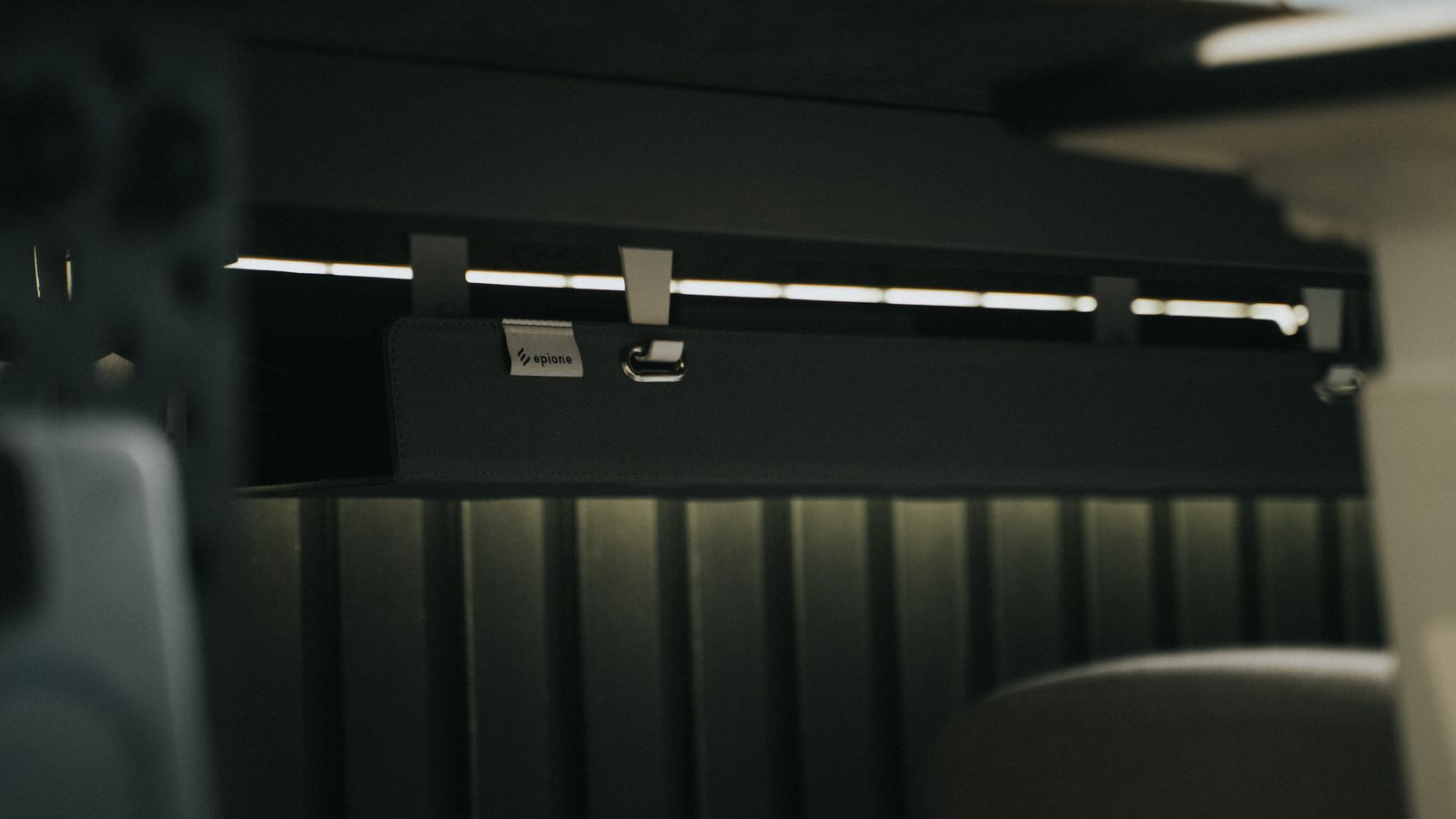
A power strip left loose on the floor is where most cable chaos starts over again within a week. Mount it to the underside of the desk or the back of a cubicle panel using its bracket or a hook-and-loop strap. This keeps the strip accessible for plugging and unplugging without cords dragging across the floor.
Safety Notes
- Never route cables across a walkway, even temporarily — trip hazards are the top reason offices flag cable setups during inspections.
- Avoid bundling more than six cables tightly together; heat can build up in dense bundles, especially with charging cables under continuous load.
- Check that curtain rods and mounts are rated for the panel material — some lightweight fabric panels won’t support a fully tensioned rod.
- Keep cables away from any desk edges with sharp corners that could fray the insulation over time.
Common Mistakes to Avoid
- Skipping the audit step. Organizing cables you don’t even use wastes time and clutters the final result.
- Mounting the curtain before measuring. A rod that’s slightly too short will sag and eventually detach under normal tension.
- Placing the phone mount too close to the monitor. This forces you to work around it constantly instead of glancing at it naturally.
- Using zip ties everywhere. Reserve zip ties for permanent bundles only — reusable Velcro ties let you adjust the setup as your equipment changes.
- Ignoring cable slack. No-slack routing looks clean on day one but causes disconnected mounts and stressed cords within a month.
Maintaining Your Setup Over Time
Once everything is installed, a quick monthly check keeps the system working. Look for clips that have loosened, cables that have slipped out of their sleeves, or a phone mount that’s started to sag from repeated adjustment. Re-tighten hardware as needed and re-route any cable that’s begun crossing back into open space. If you regularly add new devices — a second monitor, a webcam, a desk lamp — plan their cable path before plugging in, rather than routing around an already finished setup.
When to Upgrade Your Components
Cubicle curtains and phone mounts are durable, but a few signs indicate it’s time to replace or upgrade a piece rather than keep patching it:
- The curtain rod no longer holds tension and slides down repeatedly.
- The phone mount’s clamp has loosened permanently and can’t be re-tightened.
- Adhesive backing has lost its grip after repeated humidity or temperature changes.
- You’ve added enough new devices that your current cable tray is overcrowded.
If privacy has become more of a priority than fabric alone can provide, browsing our guide to cubicle curtains can help you find a heavier or more opaque option built for a busier desk setup.
FAQ
Do I need special tools to install a cubicle curtain?
Most tension-rod curtains require no drilling or tools beyond your hands to extend the rod. Clip-style curtains may need a small screwdriver if the clips attach with screws rather than snapping into place.
Will a phone mount damage my desk?
Clamp-style mounts generally leave no marks if padded correctly and removed properly. Adhesive mounts can leave residue on some finishes, so test a small hidden area first or choose a removable adhesive strip.
How often should I redo my cable management?
A light check-in once a month is usually enough. A full redo is only necessary when you significantly change your equipment or notice cables consistently coming loose from their clips.
Can I use this setup with a standing desk?
Yes, but choose cable management components with extra slack built in, since the desk height will change throughout the day and cables need room to flex without stretching.
What if my cubicle panel is too thin for a tension rod?
Switch to a clip-mounted curtain instead, which distributes weight across several points rather than relying on rod pressure alone.
Final Thoughts
A well-organized desk isn’t about owning more gadgets — it’s about routing what you already use in a way that keeps cables out of sight and your phone within easy reach. Installing a cubicle curtain and a phone desk mount together tackles both privacy and clutter in one afternoon project, and the maintenance afterward takes only a few minutes a month. Once the core setup is in place, you can layer in additional organizers as your workspace evolves without starting from scratch each time.