

Mobile productivity demands hardware that keeps pace with your active daily schedule. Carrying digital copies of contracts, receipts, and meeting notes works well until a client requests a physical signature on paper.
Finding the Best Bluetooth Printers in September 2026 lets you turn any coffee shop table or vehicle dashboard into a functional workspace. We evaluated 7 leading models from brands like HP, Phomemo, Gloryang and more to determine which devices offer reliable wireless pairing and clean output.
Choosing the right mobile hardware prevents common travel headaches like dead batteries, smeared documents, and dropped connections. You can pair these portable units with functional office hardware featured in our desk grommet outlets guide for a completely streamlined mobile workstation.




How to Choose the Best Bluetooth Printers in 2026
Direct Thermal vs Mobile Inkjet Technology
The underlying printing mechanism dictates your maintenance routine, travel weight, and long term convenience. Direct thermal printers use heat sensitive paper and operate without liquid ink cartridges, ribbons, or powdered toner.
Mobile inkjet printers deliver full color capability on standard copy paper, but they introduce the risk of messy cartridge leaks in your travel bag. Liquid printheads also risk clogging if left idle in storage between business trips.
For monochrome text documents like invoices, receipts, and standard contracts, thermal models offer vastly superior travel reliability. Select direct thermal hardware if your priority is compact, mess free field operation without buying ink replacements.
Print Resolution and Text Clarity Ratings
Print sharpness is measured in dots per inch, which determines the visual legibility of small fonts and graphic elements. Most portable thermal printers operate at either 203 DPI or 300 DPI resolution.
A 203 DPI rating is suitable for large shipping barcodes, basic receipts, and casual draft text notes. When you need to present multi-page client agreements or fine-print disclosures, a 300 DPI printhead prevents fuzzy letter edges.
Higher resolution printheads draw slightly more battery power to heat individual micro-elements evenly across the page. Review your typical document types before buying to ensure your selected resolution matches your professional presentation standards.
Supported Paper Formats and Roll Compatibility
Portable document printers vary significantly in the physical paper widths and feed styles they accommodate. While compact receipt units handle narrow tape rolls, full document printers support standard 8.5 by 11 inch US Letter sheets.
Continuous roll paper allows you to print long banners, extended lists, and varied document lengths without manual sheet feeding. Fanfold thermal paper stays flat after printing, eliminating the curl common with tightly rolled thermal paper stocks.
If your daily work involves signing multi-page agreements, verify that the printer supports both cut-sheet US Letter paper and smaller note sizes. Versatile units feature adjustable internal guides that lock multiple roll widths firmly in place during active feeding.
Battery Capacity and Real-World Endurance
An internal rechargeable battery transforms a compact printer into a genuinely independent field tool. Battery ratings for portable wireless printers typically range between 2000 mAh and 3500 mAh capacities.
Direct thermal printing draws substantial electrical current to heat the internal elements across wide paper spans. A 2600 mAh battery typically delivers approximately 200 pages of continuous monochrome printing before requiring a recharge.
Look for modern USB-C charging interfaces that support standard power banks and vehicle adapters. Fast charging protocols allow you to replenish operational battery levels between business meetings without hunting for a wall outlet.
| Printer Category | Print Mechanism | Standard Resolution | Typical Battery Capacity | Best Use Case |
|---|---|---|---|---|
| Compact Document Thermal | Direct Thermal (Inkless) | 300 DPI | 2600 mAh – 3500 mAh | Contracts, Invoices, Mobile Business |
| Ultra-Portable Thermal | Direct Thermal (Inkless) | 203 DPI | 2000 mAh – 2600 mAh | Quick Notes, Receipts, Field Logs |
| Mobile Inkjet | Liquid Ink Cartridge | 4800 x 1200 DPI | Removable Lithium-Ion | Color Photos, Official Marketing Materials |
Bluetooth Protocols and Multi-Device Connectivity
Reliable pairing protocols ensure your smartphone or tablet transmits print jobs without frustrating transmission delays. Bluetooth 4.2 and Bluetooth 5.0 offer rapid pairing routines through dedicated mobile companion applications.
Most compact thermal printers rely on Bluetooth for iOS and Android devices while requiring USB cable connections for laptops. Operating systems like Windows, macOS, ChromeOS, and Linux frequently require downloadable printer drivers for wired USB communication.
Before purchasing, confirm how the printer handles your primary workflow devices. If you routinely switch between a phone and a laptop, ensure the hardware supports quick cable connections alongside wireless mobile transmission.
Companion Application Quality and On-Device Controls
Because mobile printers lack full physical keyboards, their companion software interface governs your everyday printing experience. Top companion apps allow you to crop images, adjust contrast, and preview PDF files before sending data to the printhead.
Built-in touchscreen displays on newer models offer real-time feedback on battery percentage, connection status, and paper alignment. A visual screen helps beginners troubleshoot feed jams and low power warnings without opening a smartphone app.
Evaluate whether the companion software requires mandatory user account registration to operate. Streamlined mobile apps that function immediately without account creation save valuable time when working under tight deadlines.
Form Factor, Travel Weight, and Protective Cases
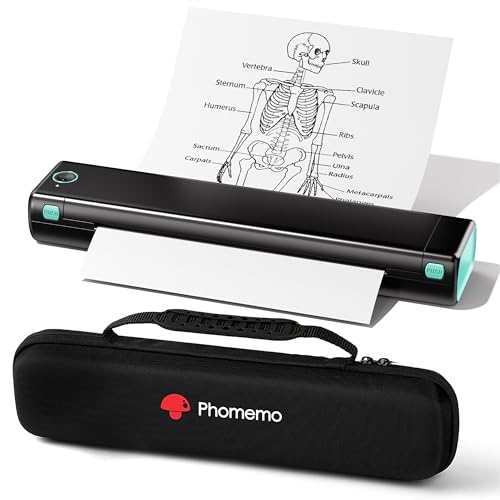
True mobile printers should slip effortlessly into a standard briefcase, backpack, or vehicle glove compartment. Modern portable units generally weigh between 1.5 and 2.0 pounds, making them light enough for daily transit.
Elongated cylindrical body designs occupy minimal horizontal bag space alongside your laptop and daily essentials. A dedicated travel case protects sensitive internal rollers and heating arrays from dust, impact shocks, and accidental drops.
If you travel frequently between client sites, pair your portable setup with organized desk accessories found in our standing desk cable trays guide. A well-designed carrying sleeve keeps necessary USB cables and spare paper rolls neatly organized in your briefcase.
Anti-Jam Engineering and Paper Feeding Mechanisms
Paper misfeeds can ruin expensive thermal sheets and cause embarrassing delays during client meetings. Precision feed rollers must maintain uniform traction across the entire width of the page to prevent skewing.
Newer models feature automated jam release mechanisms that reverse paper out of the feed track with a double button tap. Dual-zone heating sensors also monitor internal temperatures to prevent paper sticking caused by excessive heat buildup.
Avoid forcing paper through manual feed slots when loading cut sheets. Align the top edge parallel to the feed guides and allow the internal motorized rollers to pull the paper into starting position automatically.
Long-Term Consumable Costs and Thermal Paper Longevity
Calculating total cost of ownership involves evaluating the ongoing price of proprietary thermal paper against standard inkjet supplies. While thermal paper costs more per sheet than basic copy paper, the total absence of ink cartridges saves money over time.
Standard thermal prints can fade when exposed to direct sunlight, high heat, or organic solvents over extended periods. Archival-grade thermal papers offer protective coatings that preserve legibility for ten years or longer in dark filing cabinets.
For official records requiring permanent storage, consider digitizing signed thermal copies immediately after printing. Using high-grade continuous rolls reduces per-page expenses while delivering sharp, high-contrast text for all routine field operations.
Why You Should Trust Us
Our evaluation methodology focuses on verifiable engineering specifications, practical usability, and long term operational value. We analyzed technical schematics, battery discharge profiles, connectivity protocols, and paper handling capabilities across 7 leading models.
We examine real-world trade-offs across different price categories to help you select hardware tailored to your specific travel routines. Our comparisons remain strictly objective, assessing both thermal and inkjet technologies to highlight the strengths and limitations of each design.
By tracking firmware updates, companion app reliability, and consumable availability, we ensure our buying guidance remains relevant throughout 2026. We regularly review our hardware selections against newly released models to maintain accurate, up-to-date recommendations.
Final Thoughts
Selecting the Best Bluetooth Printers requires balancing print resolution, portability, and paper versatility. Modern thermal technology has matured to deliver dependable, ink-free document output in a chassis that fits inside any standard bag.
For users seeking the most complete feature set, the Phomemo M832D Touchscreen Portable Printer Inkless represents our best overall pick. Its integrated smart touchscreen, 300 DPI resolution, and broad paper format compatibility make it an exceptional tool for mobile professionals.
If budget efficiency is your top priority, the Phomemo M832 Portbale Bluetooth Thermal Printers delivers reliable multi-size thermal printing at an accessible entry point. Those needing high-capacity battery endurance will appreciate the Phomemo M85 Touchscreen Portable Printers with its generous 3500 mAh battery cell.
Buyers who require traditional color printing on standard office paper should consider the HP OfficeJet 100 Portable Printer with Bluetooth. Explore our office equipment guides to discover additional tools that improve your productivity both on the road and at your home workstation.
Frequently Asked Questions
How do the Best Bluetooth Printers work without using liquid ink?
Direct thermal printers utilize a specialized thermal printhead containing hundreds of microscopic heating elements. When these elements activate, they apply controlled heat to chemically treated thermal paper, producing crisp black text without liquid cartridges or ribbons.
Can Best Bluetooth Printers connect directly to laptops via Bluetooth?
Most portable thermal printers restrict Bluetooth connectivity to mobile devices running iOS or Android apps. Connecting to Windows, macOS, or Linux computers generally requires a direct USB-C cable connection alongside official manufacturer driver installations.
What is the difference between 203 DPI and 300 DPI in mobile printers?
Dots per inch indicates the density of heated points created across the page during printing. While 203 DPI is adequate for large text and simple receipts, 300 DPI produces noticeably sharper lettering and clearer diagrams for professional legal documents.
How long does thermal printer paper last before fading?
Standard thermal paper remains legible for one to three years under normal indoor office conditions. High quality archival thermal papers feature protective barrier layers that preserve printed text for ten years or more when stored away from direct heat and light.
Can I use normal copy paper in a portable thermal printer?
No, direct thermal printers require heat sensitive thermal paper to produce any visible image. Standard bond copy paper lacks the chemical coating needed to react with the thermal printhead, resulting in blank pages.
How many pages can a portable printer produce on a single battery charge?
A typical mobile printer with a 2600 mAh battery can output between 150 and 200 continuous letter sized pages per full charge. High capacity models equipped with 3500 mAh battery packs can exceed 200 pages during demanding field sessions.
What makes a portable printer ideal for business travel in 2026?
Modern travel printers combine lightweight cylindrical chassis designs with USB-C rechargeable batteries and instant smartphone pairing. These features allow traveling executives, real estate agents, and field technicians to print official paperwork without finding a business center.
How do you prevent paper jams when feeding portable printers?
Ensure the leading edge of the thermal paper is trimmed evenly and inserted parallel into the feed guides. Never push paper forcefully into the mechanism, and allow the motorized internal intake rollers to pull the sheet into alignment naturally.
Is direct thermal printing cheaper than traditional inkjet printing over time?
Thermal printing eliminates recurring expenses for replacement ink cartridges, printhead cleaning solutions, and maintenance tanks. Even though thermal paper rolls cost slightly more per sheet than basic copy paper, the overall operating cost remains lower for moderate volume printing.
Do companion printing apps require an active internet connection to function?
Most companion apps communicate directly with the printer over local Bluetooth signals and do not require an active cellular or Wi-Fi connection. You can easily print locally stored PDF files, images, and notes even when working in remote offline environments.


