“Compact keyboard” isn’t one specific product — it’s an umbrella term for any keyboard smaller than a full 104-108 key board, and that umbrella covers several genuinely different size classes. A 60% board, a 65% board, a 75% board, and a tenkeyless (TKL) board all fairly fall under this label, but they drop different keys and suit different desks. Before comparing specific listings, it helps to know which size class you actually need, since picking the wrong one means either giving up keys you use daily or carrying more desk clutter than necessary.
Quick Answer: If you want one compact keyboard that balances size, feel, and features without asking you to relearn much, the AULA F75 Pro Wireless Mechanical Keyboard is the strongest overall pick below — a 75% layout that keeps the function row and arrow keys, hot-swappable mechanical switches, and tri-mode wireless connectivity. If your priority is the smallest possible footprint instead, the HyperX Alloy Origins 60 Mechanical Gaming Keyboard is a well-reviewed 60% compact keyboard worth comparing before you commit to a specific size class.





Top Picks at a Glance
- Best Overall: AULA F75 Pro Wireless Mechanical Keyboard
- Best Budget: DIERYA DK61se 60% Mechanical Keyboard
- Best 65% Layout: HyperX Alloy Origins 65 Mechanical Gaming Keyboard
- Best Smallest Footprint: HyperX Alloy Origins 60 Mechanical Gaming Keyboard
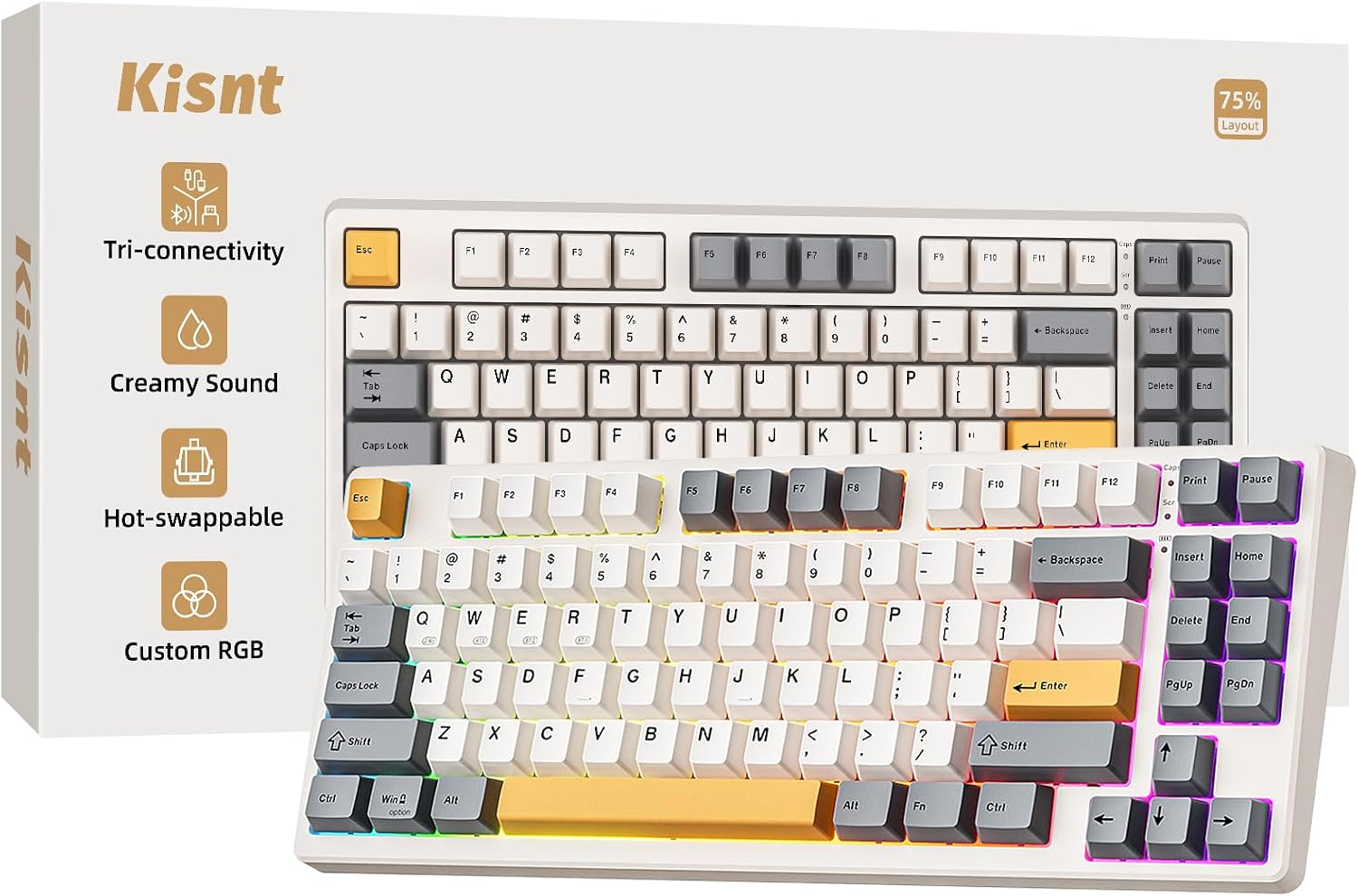
- Best Budget Wireless 75%: Kisnt KN85 Wireless Mechanical Keyboard
- Best for Multi-Device Office Use: Logitech Pebble Keys 2 K380s Wireless Bluetooth Keyboard
- Best for Quiet TKL Typing: Cherry Stream Wired Keyboard Without Number Pad
- Best Hot-Swappable 65%: EPOMAKER x Aula F65 65% Wireless Mechanical Keyboard
- Best Premium Minimalist: Logitech MX Keys Mini Minimalist Wireless Illuminated Keyboard
What “Compact Keyboard” Actually Means
A full-size keyboard runs 104 to 108 keys: the main alphanumeric block, a function row across the top, a dedicated arrow and navigation cluster, and a full numpad on the right. Anything that trims keys out of that layout to save desk width fits under this label, which is exactly why the term covers so much ground. It might drop only the numpad, or it might drop the numpad, the function row, and the arrow keys all at once — both count as “compact” in a general sense, but they behave very differently at your desk.
That’s the core thing to understand before shopping: “compact keyboard” describes a direction (smaller than full-size), not a single destination. Once you know that, the next step is learning the actual size classes that make up this category, because that’s what determines which keys you keep and which ones move to a secondary layer.
The Compact Size Ladder: 60%, 65%, 75%, and TKL Explained
Compact keyboards generally fall into four common size classes, and each one removes a specific block of keys from the full-size layout. Understanding this ladder is the fastest way to find the size that actually fits your workflow.
A 60% compact keyboard is the smallest common size, typically landing around 61-68 keys. It drops the numpad, the function row, and the dedicated arrow cluster, relying on a function layer (holding a modifier key to access F-keys, arrows, and other secondary functions) for everything not printed on the main keys. This is the most drastic step down and the one that asks the most adjustment from a new owner.
A 65% board builds on the 60% layout by adding back a dedicated arrow key cluster, and often a few extra keys like Delete or Page Up/Down squeezed into the right edge. It’s a popular middle ground for people who want a small footprint but don’t want to give up arrow keys entirely.
A 75% board goes a step further and restores the function row, condensed and pushed close to the number row to save vertical space, while keeping the arrow cluster and a few navigation keys. This size still skips the numpad but otherwise feels close to typing on a full-size keyboard, which is part of why it’s a common “best overall” recommendation in this category.
A tenkeyless (TKL) board, sometimes listed as “80%,” sits closest to full-size. It keeps the entire function row and the complete navigation cluster (Home, End, Page Up, Page Down, Insert, Delete) exactly where they’d be on a full-size keyboard, and only removes the numpad. At roughly 87 keys, TKL requires the least relearning of any size class in this category.
Compact vs. Tenkeyless vs. Low Profile — Don’t Confuse These Terms
Two terms get mixed up with “compact keyboard” more than any others, and clearing up the confusion now will save you from buying the wrong board.
First, tenkeyless is not a synonym for compact — it’s one specific size class inside the compact spectrum. A tenkeyless keyboard is always compact, but a compact keyboard isn’t always tenkeyless; a 60% or 65% board is also compact, just smaller than TKL. If you already know you specifically want that ~87-key layout with the full function row and nav cluster intact, our guide to tenkeyless keyboards goes deeper on that one size class than this broader guide does.
Second, “low profile” describes something entirely different: the height of the switches and keycaps, not the footprint or key count. A compact keyboard can be tall or low profile at any size class — a 60% board can sit high off the desk, and a full-size board can be built low profile. Footprint and height are independent specs, and a listing that says “compact” tells you nothing about how tall the board sits. If desk height and wrist elevation are your actual priority rather than width, our guide to low profile keyboards covers that dimension specifically.
Keeping these three terms straight — compact (footprint/key count), tenkeyless (one specific compact size), and low profile (case height) — makes the rest of your search a lot faster, since you can filter listings by the actual spec you care about instead of guessing from marketing language.
Picking the Right Compact Size for Your Desk and Workflow
The right size comes down to two questions: how much desk width do you actually need back, and which keys can you live without?
Dropping the numpad alone (TKL) typically frees up two to three inches of width, enough to bring your mouse noticeably closer to your body’s centerline. Going all the way to 75% or 65% saves several more inches by condensing the function row and trimming excess navigation keys, while a 60% compact keyboard is the choice for the tightest desks, travel setups, or minimalist builds where every inch matters.
Match the size to how you actually work. Gamers often gravitate toward the smallest 60% or 65% boards since competitive titles rarely need a numpad or function row, and the extra mouse-swing room is a real advantage. Writers, programmers, and general office use tend to do better with 75% or TKL, since arrow keys and function shortcuts get used constantly during editing and navigation. If your job involves spreadsheets, accounting, or other numeric data entry, a numpad genuinely speeds you up — in that case a TKL board paired with a separate USB numpad, or simply staying at full-size, usually beats forcing yourself onto the smallest layouts. Anyone who travels with a keyboard or works from a rotating set of locations will appreciate how much a smaller board shrinks down for a bag.
Whatever size class you land on, expect a short adjustment period. The smaller the board, the more keys move to a function layer accessed with a held key combination, and it takes a few days of typing before that becomes automatic.
What Changes When You Go Smaller — Real Trade-offs
It’s worth being upfront about what you give up as a board gets smaller, since “smaller is better” isn’t universally true. The numpad goes first, at the TKL size. Push down to 75% and the function row gets condensed and merged with the number row. Go to 65% or 60% and the dedicated arrow cluster disappears too, moving those keys onto a function layer.
That function-layer relearning is real, especially on 60% boards where nearly every non-alphanumeric key requires a modifier combination. Most people adapt within a week of regular use, but it’s not instant, and it’s worth knowing that going in rather than being surprised by it after the board arrives.
Build quality around the arrow cluster is also worth watching on cheaper boards, since that area sits at the edge and can feel wobbly if the stabilizers underneath are cut-rate — something more noticeable here than on a full-size keyboard where the arrows aren’t pushed right up against the edge. And it’s worth saying plainly: shrinking a keyboard’s footprint doesn’t automatically improve ergonomics. Wrist and hand position still matter more than raw board width for comfort over a long typing session, so don’t expect a smaller board to solve wrist strain on its own.
Build Quality and Feature Signals Worth Comparing
Once you’ve settled on a size class, a handful of specs separate a good compact keyboard from a mediocre one at a similar price. Switch type is the first: mechanical switches (individual spring-and-stem switches under each key) generally feel more consistent and last longer than membrane or scissor-switch designs, though membrane boards remain common in budget office keyboards and multi-device combos.
Hot-swap support is worth checking if you think you might want to change switches later, since it varies by board rather than by size class — plenty of 60%, 65%, and 75% compact keyboards offer hot-swap sockets, and plenty don’t. Our guide to hot-swappable keyboards covers socket types and switch options in more depth if that customization angle matters to you specifically.
Connectivity is another differentiator: wired boards remove any question about input lag, while wireless and Bluetooth models trade a bit of that certainty for a cleaner desk and the ability to switch between two or three paired devices, which is a common reason people choose a board like this for a multi-device setup in the first place. Keycap material (PBT holds up to shine and wear better than ABS over time) and case material (aluminum generally feels sturdier than all-plastic builds) round out the durability picture, and review volume plus star rating remain a practical real-world reliability check since these are mostly purchases you can’t test in person first.
How We Evaluated These Compact Keyboards
Every keyboard in this guide was sourced from current Amazon listing data and cross-checked for product name, price, key count, and stated switch type at the time of research. We deliberately selected across the size ladder — 60%, 65%, 75%, and TKL — rather than clustering picks in a single size class, since this guide is meant to represent the category broadly rather than favor one layout. We compared 9 real, currently listed compact keyboards across price points, switch types, and wired versus wireless connectivity, and we weighed review volume and star rating as a rough signal of real-world reliability. We did not invent model names, combine two listings into one, or assume a size class, switch type, or hot-swap support beyond what the listing actually stated. Amazon pricing and availability change regularly, so it’s worth confirming current specs on the product page before buying.
Common Mistakes When Buying a Compact Keyboard
- Assuming “compact” tells you the exact size class. Confirm the actual key count (60%, 65%, 75%, or TKL) in the listing rather than assuming from the word “compact” alone.
- Buying a 60% board without realizing arrow keys move to a function layer. If you navigate documents or code with arrow keys constantly, a 65% or larger board will feel far more natural.
- Underestimating how much a numpad matters for your actual work. Spreadsheet-heavy or data-entry roles usually benefit from staying at TKL or full-size, or adding a plug-in numpad, rather than forcing themselves onto the smallest sizes.
- Confusing compact with tenkeyless or low profile. These describe different specs — footprint/key count, one specific compact size, and case height, respectively — and checking each one separately avoids a mismatched purchase.
- Skipping the function-layer legend before buying the smallest sizes. Look at how a 60% or 65% board maps its secondary functions before ordering, so you know roughly what to expect on day one.
Buying Checklist
- Confirm the exact size class (60%, 65%, 75%, or TKL) rather than relying on the word “compact” alone.
- Match the size to your real key usage: arrow keys, function row, and numpad needs.
- Decide between mechanical and membrane/scissor switches based on feel and budget.
- Check hot-swap support separately if you might want to change switches later.
- Compare wired versus wireless/Bluetooth, especially for multi-device switching.
- Look at keycap material (PBT vs. ABS) and case material (aluminum vs. plastic) as durability signals.
- Review the function-layer legend before committing to a 60% or 65% board.
- Use review volume and star rating as a practical quality check before buying.
If a Different Keyboard Feature Is Your Real Priority
This guide focuses on footprint — the size-class decision that defines this category. But footprint isn’t the only spec worth weighing. If you already know you want the ~87-key TKL layout specifically rather than exploring the full compact spectrum, our tenkeyless keyboards guide covers that size in more depth. If desk height and wrist elevation matter more to you than width, our low profile keyboards guide addresses that separate dimension, and a low profile board can still be paired with any compact size class. And if switch customization is the deciding factor, revisit the hot-swappable guide linked above before finalizing your choice.
FAQ
What does “compact keyboard” mean?
It’s an umbrella term for any keyboard smaller than a full 104-108 key board. A compact keyboard can fall into several size classes — 60%, 65%, 75%, or tenkeyless (TKL) — each of which drops a different set of keys to save desk width.
What’s the difference between 60%, 65%, 75%, and TKL keyboards?
A 60% board drops the numpad, function row, and arrow cluster. A 65% adds dedicated arrow keys back. A 75% restores a condensed function row while keeping the arrows. A TKL keyboard keeps the full function row and navigation cluster, only removing the numpad, making it the size closest to full-size.
Is a compact keyboard the same as a tenkeyless keyboard?
No. Tenkeyless is one specific size class within the broader category — roughly 87 keys with the numpad removed. Every tenkeyless keyboard is compact, but plenty of smaller boards (60%, 65%, 75%) are also compact without being tenkeyless.
Is a compact keyboard the same as a low profile keyboard?
No. Low profile describes the height of the switches and case, not the footprint or key count. A board can be low profile or tall at any size class — the two specs are independent, so check each one separately if both matter to you.
Do I lose functionality without a numpad or arrow keys?
Mostly no, though there’s an adjustment period. Smaller boards move lost keys to a function layer accessed with a key combination. Most people adapt within a week, though heavy numeric data entry is the one workflow that genuinely benefits from keeping a numpad.
Which compact keyboard size is best for gaming?
60% and 65% boards are popular among gamers because the smaller footprint gives more room for mouse movement and few games require a numpad or function row mid-match. Larger sizes like 75% or TKL still work well for gaming while keeping more keys within easy reach.
Are compact keyboards good for programming or spreadsheet-heavy work?
For programming, a 75% or TKL board usually works best since arrow keys and function shortcuts get heavy use while editing code. For spreadsheet or data-entry work, a numpad genuinely speeds things up, so a TKL board paired with a separate plug-in numpad, or a full-size keyboard, tends to serve that workflow better than the smallest sizes.
Choosing among compact keyboards really comes down to matching the size class to your desk and your daily key usage rather than just picking the smallest board available. Compare the 9 picks above against how much width you need back, how often you reach for arrow keys or a numpad, and whether mechanical switches or simple wireless convenience matters more for your 2026 setup.