Quick Answer: The best hot swappable keyboards let you pull a mechanical switch straight out of the board and press a new one in, no soldering iron required, so you can test different switch feels or replace a single worn switch without retiring the whole keyboard. The Redragon K668 108-Key Hot-Swap Wired RGB Gaming Keyboard is the strongest all-around pick below — a full-size layout with a numpad, sound-dampening foam, and hot-swap sockets at a price that doesn’t require an enthusiast budget. If you want a more compact 75% layout with pre-lubed switches and tri-mode wireless, the AULA F75 Pro Wireless Mechanical Keyboard is worth comparing first.





What “Hot Swappable” Actually Means on a Keyboard
A hot swappable keyboard uses a printed circuit board with sockets soldered in at the factory, instead of soldering each individual switch directly to the board. That single design choice changes what you can do with the keyboard after you buy it. On a standard soldered board, every switch is a permanent part of the PCB — if one wears out, sticks, or you simply want to try a different feel, the only real fix is replacing the whole keyboard or paying someone to desolder and resolder switches by hand. On one of these boards, that same switch just pulls straight up and out with a small switch puller, and a new one presses back into the socket in seconds.
This is the core reason hot-swap sockets have moved from a niche custom-keyboard feature into mainstream gaming and productivity boards over the past few years: it turns switch choice into something you can revisit later instead of a decision you’re locked into at the moment of purchase. You still need a compatible mechanical switch to drop in, but the barrier to experimenting with one has dropped from “buy a soldering iron and learn to use it” to “unclip the old switch, clip in the new one.”
3-Pin vs. 5-Pin Sockets — Why It Matters Before You Buy Switches
Not every hot swappable keyboard accepts every switch, and this is the detail that trips up a lot of first-time buyers. Hot-swap sockets come in two common types: 3-pin and 5-pin. A 3-pin socket only accepts switches with three plastic pins — the two metal legs plus a single top plastic pin, with no side plastic pins for stabilization. A 5-pin socket accepts those same 3-pin switches and also accepts 5-pin switches, which have two extra plastic pins on the sides that help the switch sit more securely in the housing.
In practice, a board with 5-pin sockets is the safer, more flexible default, since it can take switches designed for either socket type. If you already own a set of 5-pin switches and the board you’re considering only has 3-pin sockets, you’d need to clip off the side pins with flush cutters before they’ll fit — doable, but an extra step worth knowing about before you order. Before buying replacement switches, it’s worth checking the product listing or manual for which socket type is used, since assuming compatibility without checking is one of the most common frustrations buyers run into.
Why Enthusiasts (and Everyday Typists) Want a Hot Swappable Keyboard
The most obvious reason people seek one out is switch testing. Linear switches feel smooth and consistent with no bump partway through the keypress, tactile switches have a small bump that signals actuation, and clicky switches add an audible click on top of that bump. Reading about the difference only goes so far — actually feeling linear versus tactile versus clicky switches side by side, in the same keyboard, is a much faster way to figure out a personal preference than buying three separate boards.
The second reason is more practical than experimental: repair. Switches do wear out or develop a scratchy, inconsistent feel after enough keystrokes, and on one of these boards that’s a five-minute fix instead of a reason to replace the entire keyboard. If you type at a high daily volume, that durability angle alone can justify choosing a hot swappable keyboard over a soldered one, even if you never plan to experiment with different switch feels.
The third reason is that preferences change over time. Someone who started with light, quiet switches for a shared office might later want a heavier tactile switch once they’re working from a private space, or want a “thocky” sound profile after trying a friend’s board. That flexibility lets the evolution happen switch by switch, over months or years, instead of forcing a full keyboard replacement every time taste shifts. None of this requires deep keyboard-hobbyist knowledge — it’s simply a keyboard that stays adjustable after the purchase instead of locking in one configuration for its entire lifespan.
Hot-Swappable Is Not the Same as Ergonomic or Split — Know the Difference
It’s worth being direct about this because the two features get lumped together online more often than they should: hot-swappable describes the PCB and its switch sockets, while ergonomic or split describes the keyboard’s physical shape and layout. A keyboard can be hot-swappable without being ergonomic or split at all — most of the picks in this guide are standard, unsplit layouts. Just as easily, a keyboard can be ergonomic and split without offering hot-swap sockets. The two features are independent, and a listing that highlights one doesn’t guarantee the other.
This guide focuses specifically on the hot-swap feature across standard keyboard layouts, since that’s the more common shopping question and applies to any keyboard enthusiast regardless of hand position or wrist needs. If your priority is combining hot-swappable switches with a split, columnar-staggered layout built around programming workflows specifically, our guide to ergonomic keyboards for programmers covers that combined use case directly, including boards that support both features at once. But if wrist angle and hand position aren’t your main concern and you just want the ability to swap switches on a normal-shaped keyboard, the picks below are built around that goal.
Layout Sizes: TKL, Full-Size, 75%, and 96/98%
Hot-swap sockets show up across every common keyboard layout size, so layout is really a separate decision from the hot-swap feature itself. Full-size and tenkeyless (TKL) layouts keep a traditional row-by-row key arrangement, with full-size adding a numpad and TKL dropping it to save desk space. A 75% layout compresses the arrow keys, function row, and a few navigation keys into a tighter footprint without losing them entirely, which is popular with people who want more desk room for mouse movement without losing those keys entirely. A 96% or 98% layout sits between TKL and full-size, keeping the numpad while trimming extra spacing between key clusters.
None of these layouts changes whether a board is hot-swappable — that comes down to the PCB, not the key count. But layout does affect which of the picks below fits your desk and workflow best, so it’s worth deciding on layout size before comparing hot-swap specs in detail.
Stock Switches, Mounting Style, and Other Build-Quality Signals
Every hot swappable keyboard ships with some kind of stock switch already installed, since the board needs to be usable out of the box. Some listings specify pre-lubed linear or tactile switches as the default, which means the board feels reasonably smooth even before you swap anything. Others are vaguer about the stock switch, which is worth checking if you don’t plan to replace switches immediately and want the out-of-box feel to already be decent.
Mounting style is the other build-quality detail that affects how much a switch swap actually changes the typing experience. Gasket-mount designs suspend the plate on a soft gasket material, which tends to produce a softer, more cushioned keystroke and is common on newer hot-swappable boards marketed around sound quality. Tray-mount designs screw the plate more rigidly to the case, which can feel firmer and is common on more budget-oriented boards. Keycap material is a smaller but still relevant detail — PBT keycaps generally resist shine and wear better over years of use than ABS, independent of whatever switches are installed underneath them. Wired connections remove any question of input latency, while wireless hot-swap boards trade a small amount of that certainty for fewer cables on the desk; neither is wrong, it depends on whether the board is mainly for typing or competitive gaming.
Top Picks at a Glance
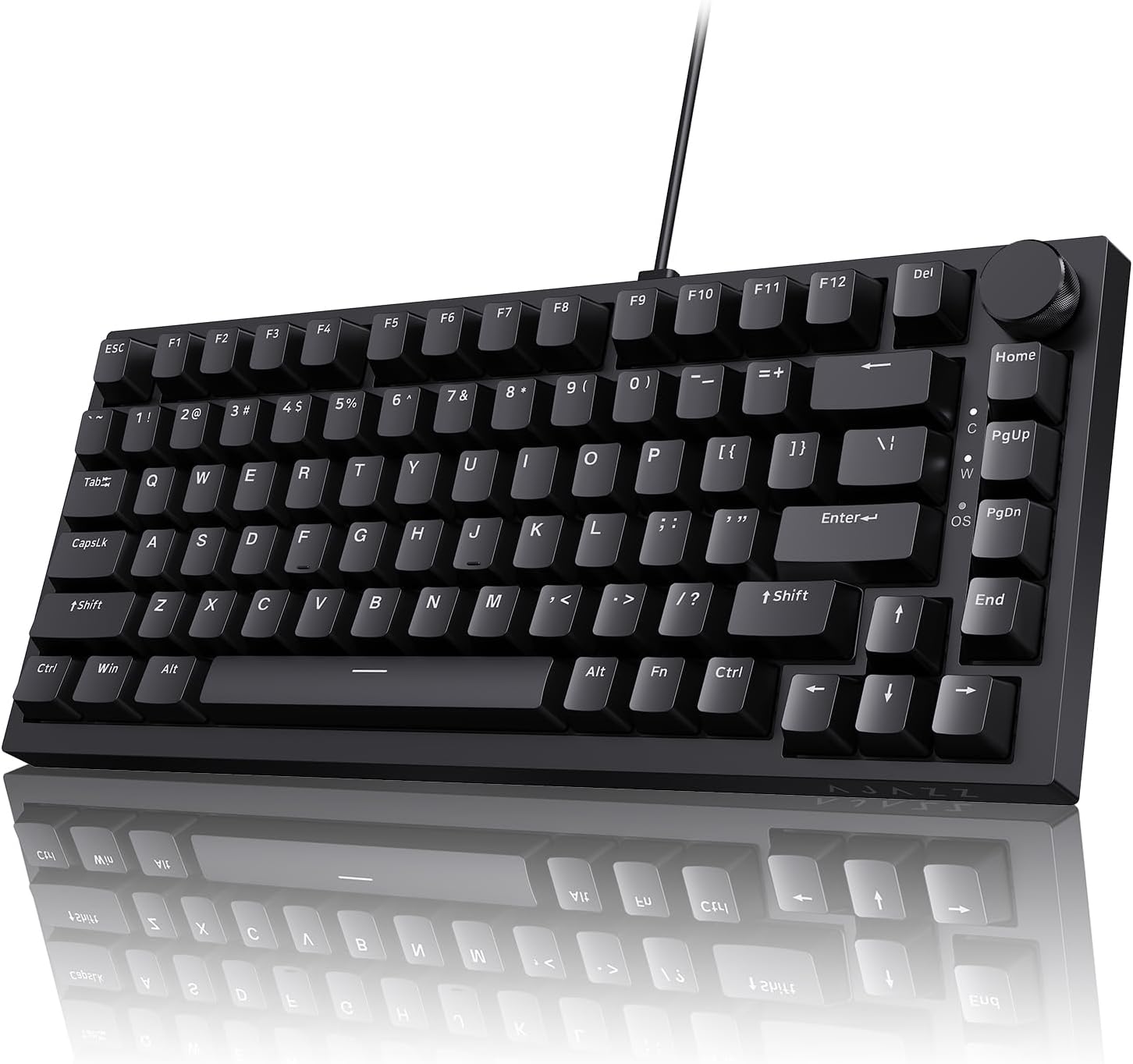
- Best Overall: Redragon K668 108-Key Hot-Swap Wired RGB Gaming Keyboard
- Best Budget: Ajazz AK820 75% Wired Mechanical Gaming Keyboard
- Best Premium: ASUS ROG Strix Scope II X Wired Mechanical Gaming Keyboard
- Best 75% Wireless: AULA F75 Pro Wireless Mechanical Keyboard
- Best with Number Pad: RK ROYAL KLUDGE R98 Pro Wired Mechanical Keyboard
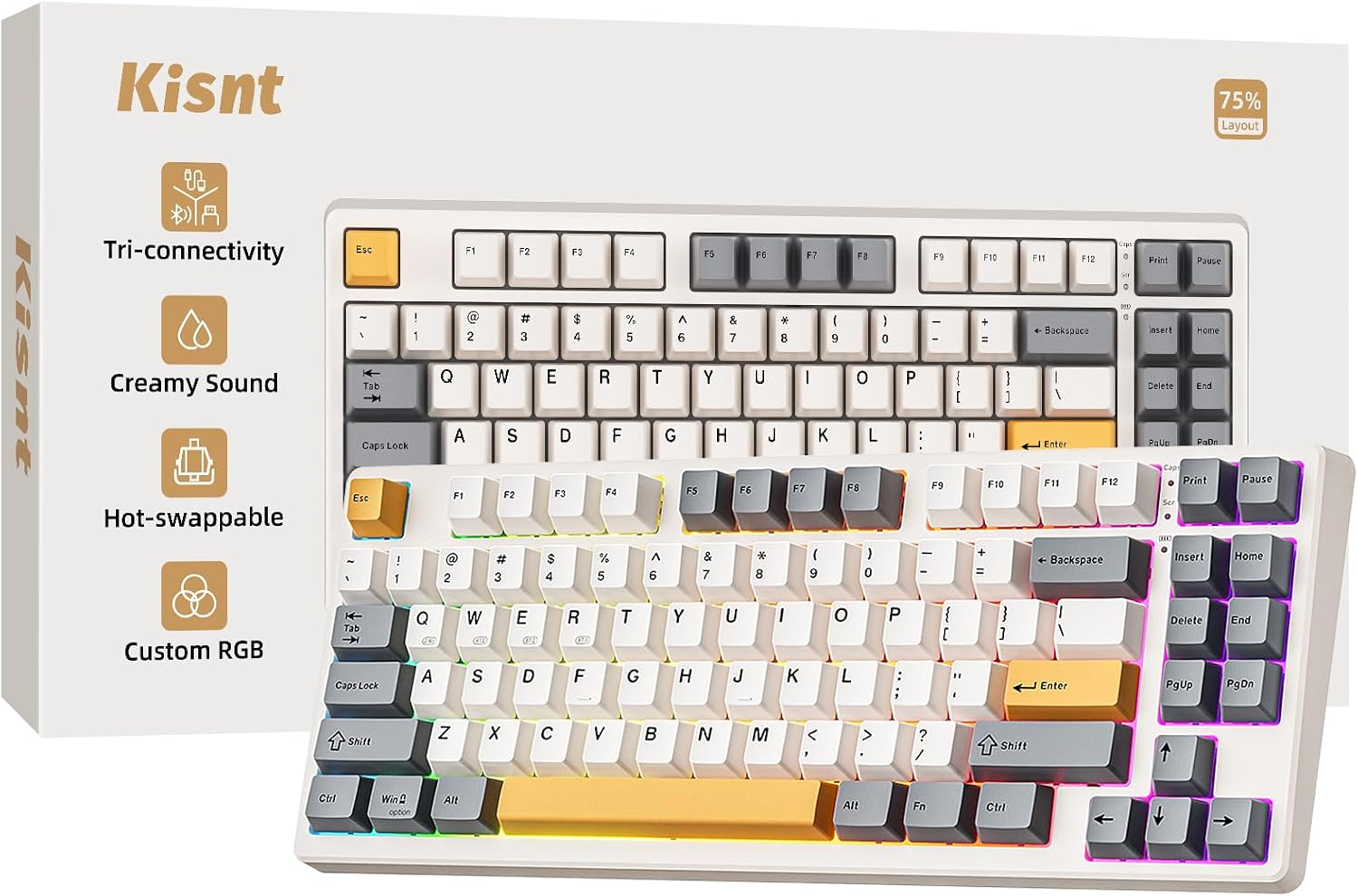
- Best Compact 75% Layout: Kisnt KN85 Wireless Mechanical Keyboard
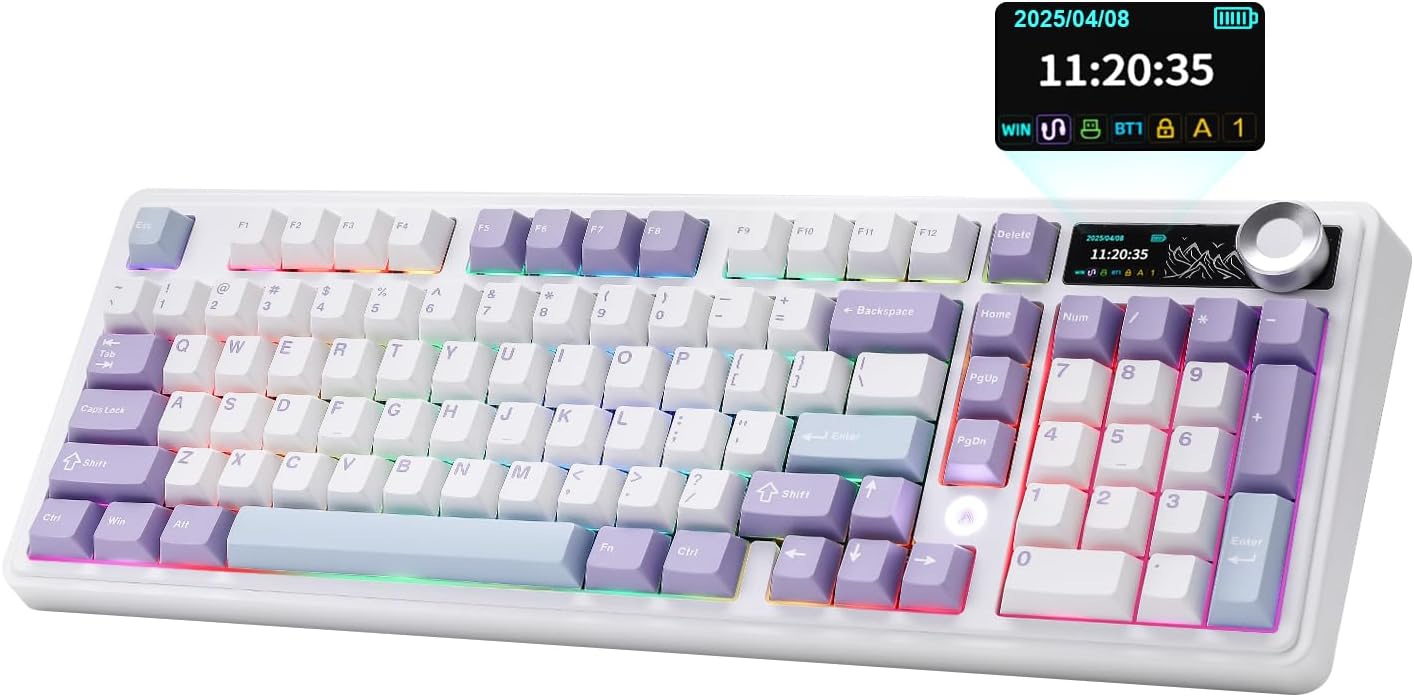
- Best 98% Layout with Smart Display: AJAZZ AK980 Wireless Mechanical Keyboard
- Best Full-Size Wireless: Redragon K745 PRO Wireless 108-Key Gaming Keyboard
How We Evaluated These Hot Swappable Keyboards
Every board in this guide was sourced from current Amazon listing data and cross-checked for product name, price, layout, and stated hot-swap support at the time of research. We prioritized listings that explicitly describe hot-swap sockets rather than boards where “customizable” is used as a vague marketing term without backing it up. We compared 8 real, currently listed hot swappable keyboards across layout sizes, price points, and wired versus wireless connectivity, from budget-friendly full-size boards to premium gaming-brand options, and we noted review volume and rating as a rough real-world reliability signal. We did not invent model names, combine two listings into one, or assume socket type or switch specs beyond what the listing stated. Availability, pricing, and stock switch details on Amazon change, so it’s worth confirming current specs on the product page before buying.
Common Mistakes When Buying a Hot Swappable Keyboard
- Assuming any switch fits any socket. Check whether a hot swappable keyboard uses 3-pin or 5-pin sockets before buying replacement switches, since a 5-pin switch may need its side pins clipped for a 3-pin board.
- Assuming hot-swappable automatically means ergonomic or split. The two features are independent — confirm layout shape separately from hot-swap support if wrist position matters to you.
- Replacing stock switches immediately without trying them first. Many of these boards ship with genuinely usable pre-lubed switches, and swapping too early can mean spending money before you know what you actually prefer.
- Expecting a switch swap alone to transform the sound. Mounting style, case material, and foam dampening all affect sound and feel; switches are one part of the equation, not the whole thing.
- Overpaying for premium hot-swap features you won’t use. If your only goal is replacing a dead switch occasionally, a budget hot swappable keyboard covers that need just as well as an expensive enthusiast board.
Buying Checklist
- Confirm whether the hot swappable keyboard uses 3-pin or 5-pin sockets, and check compatibility with any switches you already own.
- Decide on layout size first — full-size, TKL, 75%, or 96/98% — since that’s independent of hot-swap support.
- Check what stock switches are included and whether they’re pre-lubed, so you know what to expect before swapping anything.
- Look at mounting style (gasket-mount vs. tray-mount) if typing feel and sound matter to you as much as switch choice.
- Compare wired versus wireless based on whether the board is mainly for typing, competitive gaming, or general desk use.
- Check keycap material (PBT tends to hold up better than ABS) as a secondary durability signal.
- Use review volume and rating as a practical quality check, since these are enthusiast-adjacent purchases most people can’t test in person first.
- If you specifically want hot-swappable switches on a split or ergonomic layout, compare our ergonomic keyboards for programmers guide instead of defaulting to a standard-layout board.
Complementary Desk Setup Changes
A hot swappable keyboard solves switch flexibility and repairability, but the rest of your desk setup still affects daily comfort. If a board with a numpad is taking up more space than you’d like, our guide to keyboard drawers covers how a pull-out tray can free up your main desktop while keeping the keyboard within easy reach. If the front edge of your desk digs into your wrists during long typing or switch-testing sessions, our guide to desk edge cushions covers a simple, low-cost way to pad that pressure point alongside whichever hot swappable keyboard you end up choosing.
FAQ
What does “hot swappable” mean on a keyboard?
It means the keyboard’s PCB has sockets instead of soldered connections for each switch, so you can pull a switch out and press a new one in without a soldering iron. A hot swappable keyboard lets you change switches after purchase, whereas a soldered board locks in whatever switches it shipped with.
What’s the difference between 3-pin and 5-pin hot-swap sockets?
A 3-pin socket only accepts switches with three plastic pins, while a 5-pin socket accepts both 3-pin and 5-pin switches. Most hot swappable keyboards sold today use 5-pin sockets since they’re more flexible, but it’s still worth checking the listing before buying replacement switches.
Can I put any mechanical switch in any hot-swappable keyboard?
Not always. Switch compatibility depends on the socket type (3-pin vs. 5-pin) and, less commonly, on plate cutout size for certain switch housings. A 5-pin switch will need its side pins clipped to fit a 3-pin hot swappable keyboard, so checking socket type before ordering switches saves a return or a returned board.
Do hot-swappable keyboards come with usable switches out of the box?
Yes, in almost every case. A hot swappable keyboard ships with stock switches already installed so it’s fully usable right away — swapping switches is optional, not required. Some listings specify pre-lubed linear or tactile switches as the stock option, which is worth checking if out-of-box feel matters to you.
Is a hot-swappable keyboard automatically ergonomic or split?
No. Hot-swappable describes the PCB and switch sockets, while ergonomic and split describe the keyboard’s physical shape. A keyboard can be one, both, or neither. If you want both features combined, look for a listing that states both explicitly, or check a guide built around that combined use case.
Are hot-swappable keyboards less durable than soldered ones?
Not meaningfully for typical use. Hot-swap sockets are built to handle many insertion cycles, and most owners swap switches occasionally rather than constantly. A hot swappable keyboard used normally should hold up as well as a comparable soldered board, with the added benefit of being repairable if a single switch fails later.