A standing desk that refuses to move smoothly, jerks unevenly, or grinds when it rises can turn a simple sit-stand routine into a daily frustration. Most electric and hand-crank frame problems trace back to a small set of causes: loose hardware, unbalanced weight, worn motors, or a controller that has lost its memory settings. This guide walks you through diagnosing and fixing the most common standing desk frame issues yourself, before you assume the frame needs replacing.

What You’ll Need Before You Start
Before troubleshooting, gather a few basic tools so you are not stopping mid-diagnosis to search for equipment:
- A Phillips or hex screwdriver (check which your frame uses)
- A tape measure or ruler for checking leg height
- A soft cloth and mild cleaner for tracks and cable channels
- Silicone-based lubricant (avoid petroleum-based grease on plastic gears)
- Your desk’s user manual or model number, for reset codes
If you plan on rearranging cables or accessories while you work, a set of rolling utility carts nearby makes it easy to temporarily park a monitor, keyboard, or CPU without cluttering the floor.
Step 1: Identify the Type of Problem
Standing desk frame issues generally fall into four categories, and identifying which one you’re dealing with narrows your fix considerably:
- Movement problems — the desk won’t rise, stalls partway, or moves in jerky bursts.
- Leveling problems — one side rises faster than the other, or the tabletop sits crooked.
- Noise problems — grinding, clicking, or squeaking during travel.
- Electrical or display problems — the control panel shows an error code, flashes, or is unresponsive.
Watch and listen to a full up-and-down cycle before touching anything. Note exactly when the issue occurs (start of travel, top of travel, only under load) — that detail matters for diagnosis.
Step 2: Check the Power and Control Panel
Roughly a third of “broken frame” complaints turn out to be power or connection issues rather than mechanical failures.
- Confirm the power adapter is fully seated at both the wall outlet and the desk’s control box.
- Inspect the cable between the control panel and the motor controller for pinches or disconnects, especially if the desk was recently moved.
- Look for an error code on the digital display. Most manufacturers list a short table of codes (commonly E01–E12 style) in the manual — these usually point to a specific motor, overload, or sync fault rather than a general breakdown.
- Try a full power cycle: unplug the desk for 30–60 seconds, then plug it back in before testing movement again.
Step 3: Fix Uneven or Jerky Movement
If the desk moves but not smoothly, the legs are usually out of sync or fighting friction inside the track.
- Lower the desk fully to its minimum height and hold the “down” button for a few extra seconds after it stops — this triggers a resync on most dual-motor frames.
- Raise the desk slowly while watching both legs. If one visibly lags, that leg’s motor or telescoping section likely needs a reset (see Step 5).
- Check that the desk isn’t overloaded. Most frames have a rated capacity, and monitor arms, dual displays, and shelving can push a setup past its limit, causing the motors to stall under strain.
- Make sure nothing underneath — cables, a CPU tower, a power strip — is obstructing the inner leg column as it telescopes.
Step 4: Fix a Crooked or Tilted Tabletop
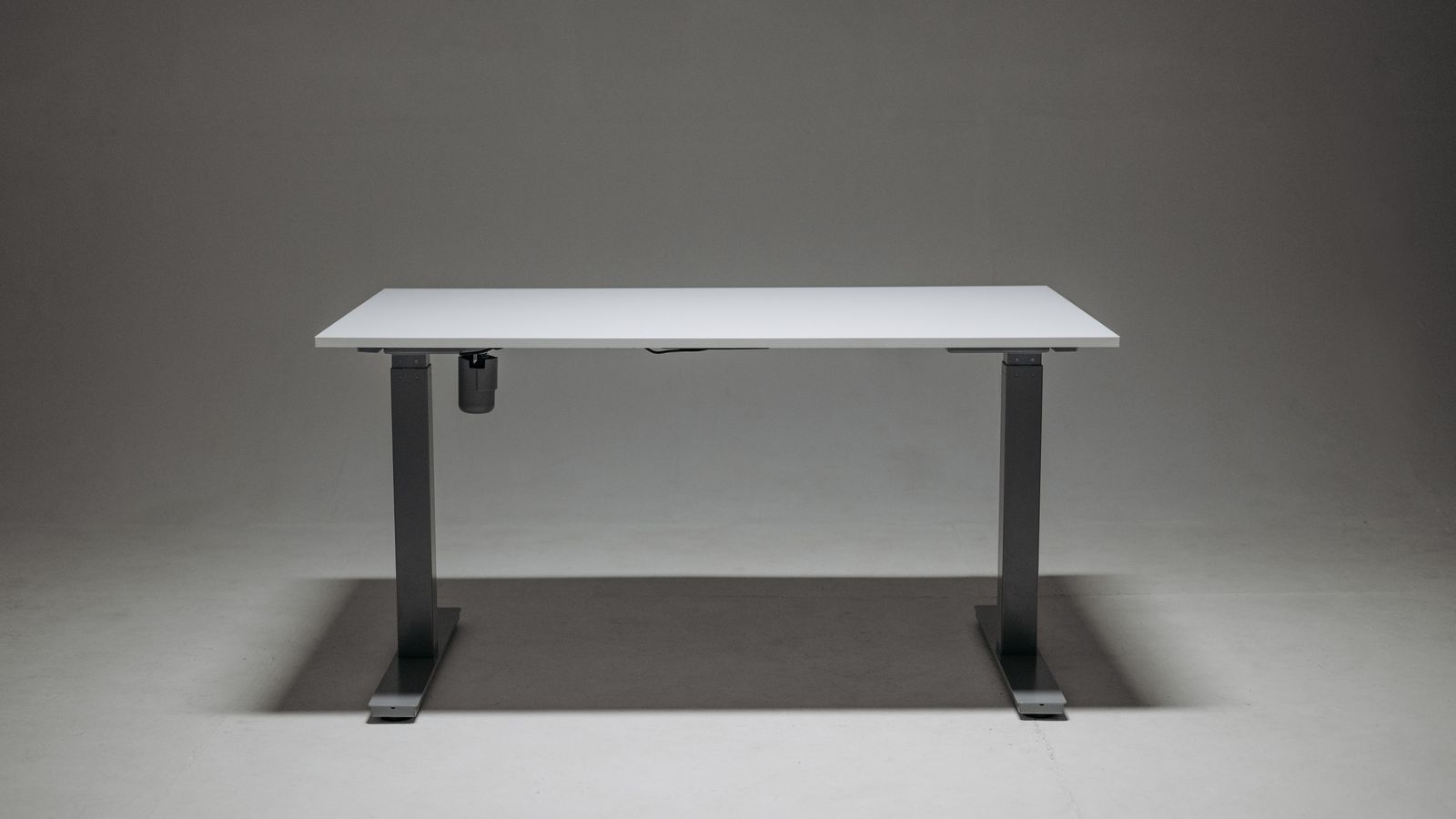
A desk that visibly tilts to one side almost always means the two leg columns have lost their height calibration relative to each other.
- Measure the height of each leg from the floor to the underside of the tabletop bracket. A difference of more than roughly 3–5 mm confirms a leveling issue.
- Loosen (do not fully remove) the bolts connecting the legs to the tabletop, lower the desk to its lowest point, and confirm both legs are bottomed out evenly before re-tightening.
- Run the manufacturer’s sync or calibration sequence — typically holding the up and down buttons together for several seconds — which re-teaches the controller where “level” actually is.
- Check the floor itself. An uneven floor or a desk sitting partly on carpet padding can create the illusion of a tilted frame when the frame is actually level.
Step 5: Fix Grinding, Clicking, or Squeaking Noises
Noise is usually mechanical wear or a lack of lubrication rather than a motor failure, and it’s the easiest category to fix yourself.
- Fully extend the desk and visually inspect the exposed inner leg sections for dust, grit, or old lubricant buildup.
- Wipe the tracks clean with a dry cloth, then apply a light coat of silicone-based lubricant — never a heavy grease, which attracts more dust and can gum up the mechanism over time.
- Tighten all visible bolts connecting the crossbar, legs, and tabletop brackets. Vibration from daily use gradually loosens hardware, and a loose crossbar is one of the most common sources of rattling.
- If the noise is a sharp click at a specific point in the travel range every time, that’s often a worn gear tooth inside the motor housing — a sign the motor itself may need professional service or replacement rather than a DIY fix.
Step 6: Reset the Controller and Memory Presets
If your saved height presets stop working or the display shows inconsistent numbers, the controller’s memory likely needs to be reset.
- Locate the reset procedure in your manual — most frames use a long-press on the “M” or memory button, or a specific button combination held for 5–8 seconds.
- After resetting, fully lower the desk and re-run the calibration sequence from Step 4 so the controller has an accurate zero point.
- Re-save your preferred sit and stand heights once calibration is confirmed.
Safety Notes
- Always unplug the desk before removing any panel or accessing internal wiring.
- Never work under a raised desk without a secondary support in place — a motor fault mid-repair should not leave you exposed to a falling tabletop.
- Do not exceed your frame’s rated weight capacity; overloading is a leading cause of premature motor failure, not just a nuisance.
- If a motor housing feels hot to the touch after normal use, stop using the desk and contact the manufacturer — this is not a lubrication issue.
Common Mistakes to Avoid
- Skipping the recalibration step. Tightening bolts or cleaning tracks without recalibrating afterward often leaves the desk mis-synced even though the physical fix was correct.
- Using the wrong lubricant. Heavy grease or WD-40-style penetrating oil can attract debris and gum up telescoping tracks faster than no lubricant at all.
- Ignoring weight distribution. Mounting monitor arms or shelving off-center stresses one leg motor more than the other, accelerating wear on that side.
- Assuming every noise means the frame is failing. Most squeaks are cosmetic wear that a five-minute cleaning and lubrication cycle resolves.
When to Consider a Replacement Frame
Some issues genuinely point to end-of-life hardware rather than something fixable at home: a motor that trips its overload protection at well below-rated weight, a leg column with visible bends or cracks, or repeated resets that fail to hold calibration. In those cases, it’s more practical to shop for a new frame outright. Browsing dedicated standing desk frames lets you compare motor specifications and weight capacity directly, rather than guessing whether a repair will actually last. If storage was part of what you liked about your old setup, it’s also worth looking at standing desks with built-in storage so drawers and shelving are integrated into the frame instead of added on separately.
Frequently Asked Questions
Why does my standing desk stop halfway when raising?
This is almost always an overload trip or an unsynced motor. Lower the desk fully, power cycle it, and run the leg-sync sequence described in Step 3 before testing again.
Is it normal for a standing desk to make some noise?
A faint hum from the motors during travel is normal. Grinding, clicking, or metal-on-metal scraping is not, and usually means the tracks need cleaning and lubrication or a bolt has come loose.
How often should I maintain my standing desk frame?
A quick inspection and bolt check every few months, with a full clean-and-lubricate pass roughly twice a year, prevents most of the issues covered in this guide before they start.
Can I fix a standing desk frame myself, or do I need a technician?
Most movement, noise, and calibration issues are solvable with basic tools and the steps above. A dead motor, damaged control board, or bent leg column typically requires a replacement part or professional service.
My desk legs won’t stay level even after calibrating — what now?
Double-check that the floor under each leg is even and that both legs bottom out fully during the sync sequence. If the tilt persists, one motor may be underperforming and worth testing in isolation, or it may be time to compare newer frame options.
Final Thoughts
Most standing desk frame problems are mechanical, not fatal — loose bolts, dusty tracks, and unsynced motors account for the majority of complaints. Work through the diagnostic steps in order, starting with power and calibration before assuming a motor has failed. When a frame genuinely reaches the end of its usable life, treat it as an opportunity to upgrade to a sturdier setup that better fits your workspace and storage needs.