

Looking for the best wireless security cameras systems to protect your home without monthly fees? This guide cuts through marketing noise to show reliable options that tackle false alerts, weak night vision, short battery life and flaky Wi‑Fi. Expect clear video, simple setup and durable hardware that keeps your property covered day and night.
This curated list compares video quality, pan & tilt coverage, AI motion detection, storage (local vs cloud), power choices (solar, battery, plug‑in) and real‑world ease of use. The goal: help you pick a system that fits your property, reduces false alarms and delivers long-term value for your budget.
Best Overall: aosu 4-Cam Solar PTZ 2K Wireless System — 360° PTZ, solar power and 2K color night vision for reliable all‑around coverage
Best Budget: ANSQUE 4-Cam Solar PTZ 2K Wireless Kit — long battery life, local storage and no subscription fees
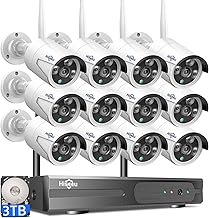
Best Premium: Firstrend 8Ch NVR 8-Cam AI Security System — 8‑channel NVR, 3TB storage and AI human detection for pro-level monitoring
Best for Long Hours: Hiseeu 5MP PTZ 10CH NVR Long-Lasting System — designed for continuous 24/7 recording with robust NVR hardware


Buying Guide
Connectivity and range
Wireless cameras can use home Wi‑Fi, dual‑band radios, or proprietary long‑range signals. Think about where you need coverage (driveway, backyard, detached garage) and whether your router reaches those spots without repeaters. Walls, trees and metal structures all reduce range more than manufacturers’ open‑air numbers.
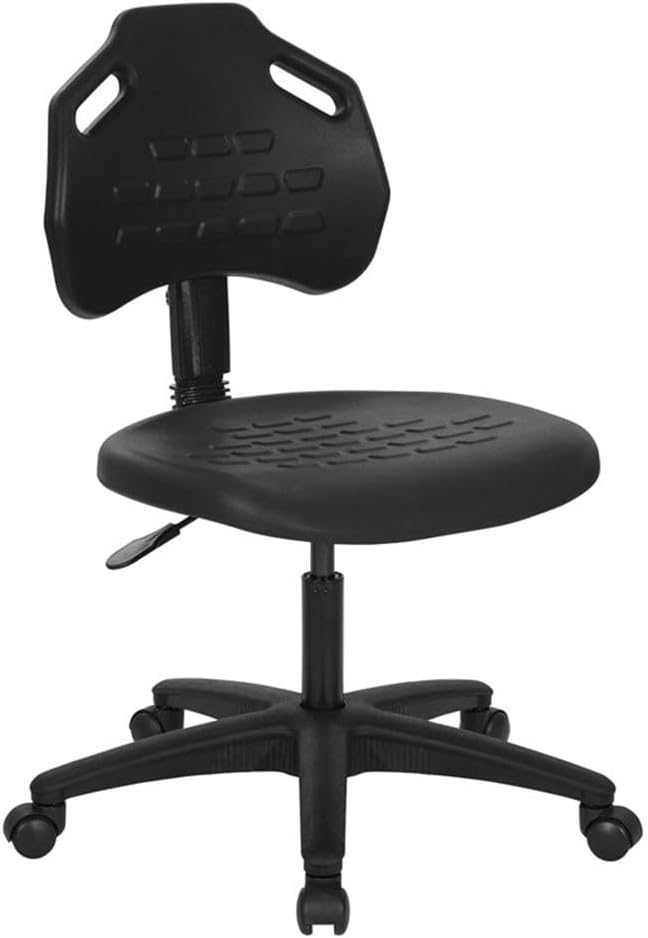
If you plan to monitor camera feeds from a desktop for long stretches, consider investing in comfortable seating — our roundup of best ergonomic mesh chairs can help you choose a chair that reduces fatigue while you review footage.
- Choose dual‑band or 5 GHz compatible models if you need higher throughput for 2K/4K streams; 2.4 GHz typically gives better range through obstacles.
- If you have a large property, consider kits that advertise extended radio range or pair a Wi‑Fi extender with the cameras.
- Example: the aosu 4‑Cam Solar Kit is positioned as an all‑around wireless solution and can serve as a model of multi‑camera coverage to compare against.
Power: batteries, solar, or plug‑in
Decide whether you want plug‑in reliability or the flexibility of battery/solar cameras. Plugged cameras eliminate downtime and continuous maintenance, while battery and solar options simplify installation without wiring but require periodic charging or good sunlight exposure.
- Battery cameras are easiest to place but check advertised battery life and factor in frequent motion alerts or continuous recording, which shorten runtime.
- Solar panels reduce maintenance but need direct sunlight and proper placement; consider seasonal sunlight changes.
- For long battery life, compare real‑world reports—some consumer kits emphasize multi‑year battery performance. For example, the Blink Outdoor 6‑Cam System highlights extended battery operation as a selling point.
Video quality, night vision and PTZ
Higher resolution (2K or 4K) delivers clearer identification details but increases bandwidth and storage needs. Night vision varies—some cameras use IR for monochrome images while others offer color night vision or integrated lights for better clarity.
If you frequently review or edit clips from your cameras, a chair designed for prolonged sitting can improve comfort during long sessions — see our guide to best office chairs for video editing.
- Decide whether fixed wide‑angle coverage or pan/tilt/zoom (PTZ) with auto‑tracking better fits your use case. PTZ can follow movement but may miss events outside its current view.
- Look for features that reduce false positives (smart motion zones, person detection) so you get useful alerts instead of constant notifications.
- Balance resolution with storage and viewing device capabilities—4K is great but not always necessary for small properties.
Storage, subscriptions and privacy
Storage options typically include cloud plans, local microSD/USB, or NVR hard drives. Cloud services offer convenience and off‑site backup but often require monthly fees. Local storage avoids ongoing costs but can be vulnerable if the system is tampered with.
When you’re checking playback and managing footage from a home workstation, pairing your setup with supportive seating makes frequent review less tiring — consider our picks for best ergonomic chairs for home office.
- If you prefer no monthly fees and reliable local recording, consider systems with included NVRs and hard drives; these often support continuous 24/7 recording and easy playback.
- Check whether the vendor encrypts streams and stored footage, and whether you retain control of account credentials and access logs.
- Example: the Firstrend 8‑Channel NVR Kit is an example of a package that emphasizes local HDD storage and no monthly fees—use it as a comparison point when deciding between cloud and local setups.
Installation, expandability and smart features
Consider how easy the system is to set up and whether it lets you add cameras later. Some kits are plug‑and‑play, while others require mounting and network configuration. Also check smart‑home integrations (Alexa, Google, HomeKit) if voice control or routines matter to you.
Because setup and occasional configuration can take time, make sure your workspace and chair support longer tasks — our best mesh office chairs roundup highlights comfortable, breathable options that work well in utility rooms or home offices.
- Count the cameras you need now and in the future; choose a system that supports extra channels or additional units without large compatibility hurdles.
- Assess the app experience: reliable push notifications, simple export options, and user permissions make daily use smoother.
- Prioritize practical extras like two‑way audio, weather resistance ratings, and tamper alerts based on your placement (porch versus eaves versus detached structures).
FAQ
What should I look for when buying the best wireless security camera system?
Prioritize image quality, reliable night vision, weather resistance, and whether you want pan/tilt or fixed cameras for coverage. Decide between local storage (NVR/SD) and cloud plans — local storage avoids monthly fees while cloud can simplify remote access. Also consider power: battery or solar for flexible placement versus plug‑in for continuous uptime. For an all-around balance of features and easy setup many buyers like the aosu 4-Cam Kit.
Do wireless security cameras always need a monthly subscription?
No, many wireless systems offer local recording to an SD card or NVR so you can avoid monthly fees entirely. Subscription plans usually add cloud storage, advanced AI alerts, or facial recognition, which can be convenient but optional. If you want zero ongoing costs look for cameras advertised with “no subscription required” or built-in local storage. Manufacturers like ANSQUE and several Hiseeu models promote local storage and no monthly fees as a selling point.
Will wireless outdoor cameras work reliably in bad weather?
Most outdoor wireless cameras are built to handle rain, wind, and temperature swings, but check the IP rating (IP66/IP67 are common for outdoor use). Solar panels and sealed battery compartments help keep systems running through storms, while good mounts reduce water intrusion and sway. If you live in extreme conditions choose products specified for outdoor use and follow manufacturer installation tips for sheltering connectors. Several solar-powered kits from Hiseeu and eufy are designed with outdoor durability in mind.
How can I extend Wi‑Fi range for multiple outdoor cameras?
Start by placing cameras within line of sight of the router whenever possible and minimize obstructions like thick walls. Use a dual-band router, add mesh Wi‑Fi nodes or outdoor range extenders, and consider positioning antennas for best coverage. For large setups, a hybrid system with a local NVR or cameras that communicate through a dedicated hub reduces reliance on home Wi‑Fi. If you want a turnkey option with hub/NVR support for many cameras, consider the Firstrend 8-Channel NVR system.
Which wireless camera setup is best for a large property or long-range coverage?
For large properties choose cameras with long wireless range, strong batteries or solar charging, and pan/tilt or multiple fixed units to cover blind spots. Combining a mix of 360° PTZ cameras for wide areas and high-resolution fixed cameras for entrances gives the best coverage. Look for systems advertised with extended open‑air range or models designed for outdoor long‑distance use; Blink Outdoor XR is a common choice for long-range wireless coverage. Finally, plan for backhaul options like mesh Wi‑Fi or strategic wired points to keep remote cameras online reliably.
Final Verdict
Top systems stood out for dependable wireless performance, practical power and storage choices (solar, long-life battery, or local HDD), and robust motion detection. Buyers should prioritize stable connectivity, true PTZ/360° coverage or wide-area cameras, clear night vision, and local recording with no subscription. The best-performing systems combined straightforward setup, durable outdoor hardware, and consistent recording options to deliver reliable, low-maintenance home protection.
🏆 Best Overall: aosu Security Cameras Outdoor 4-Cam Kit — Solar & 360° PTZ
💰 Best Budget: ANSQUE Security Cameras 4-Cam Kit — Solar, 360° PTZ, Local Storage
⭐ Best Premium: Firstrend 8-Channel NVR Kit with 8 Cameras & 3TB HDD — AI Detection
For the monitoring setup itself, pairing your camera system with the right seating can improve long viewing sessions — check our picks for best home office chairs.


Write Your Review
No reviews yet. Be the first to share your experience!