Quick Answer
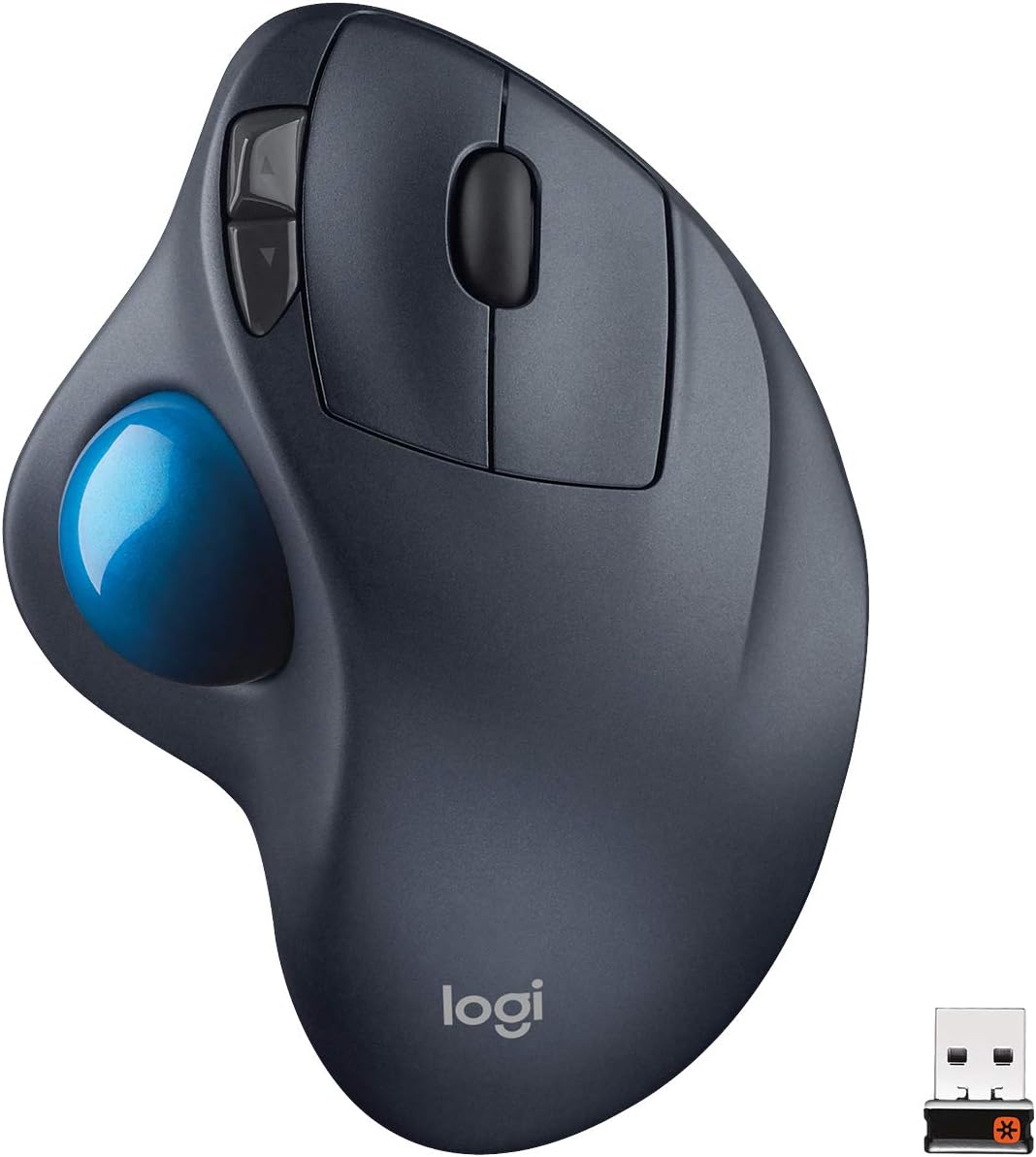
If you just want the short version: the Logitech MK295 Full Size Silent Wireless Keyboard Mouse Combo is the easiest all-around pick for anyone shopping for a quiet keyboard right now. It pairs a dampened, cushioned keystroke with a low-key wireless mouse, it’s inexpensive enough to try without much risk, and it works for shared offices, video calls, and late-night typing alike. If you want a dampened mechanical feel instead of a membrane board, or you’re outfitting a shared desk on a tighter budget, the picks below cover those angles too — every option here was pulled from real Amazon listings, not assumptions about what “should” be quiet.
A loud keyboard is one of those small annoyances that quietly wrecks a workday. It shows up as a spouse asking you to slow down at 11pm, a coworker two desks over giving you a look during a call, or your own voice recording picking up a rattle under every sentence. The fix isn’t always “buy a new keyboard” — sometimes it’s understanding what’s actually making noise in the first place. This guide is a focused, acoustic-only breakdown of quiet keyboards: what makes a keyboard loud, which switch types and constructions genuinely cut that noise, and how to set realistic expectations before you buy.
This isn’t a general ergonomics guide, and it isn’t about typing comfort for long writing sessions — for that angle, see our ergonomic keyboards for writers guide. Here, the only question is: how do you get a genuinely quiet keyboard, and how quiet can you realistically expect it to be?





Top Picks at a Glance
- Best Overall: Logitech MK295 Full Size Silent Wireless Keyboard Mouse Combo
- Best Budget: HP 150 Wired Keyboard
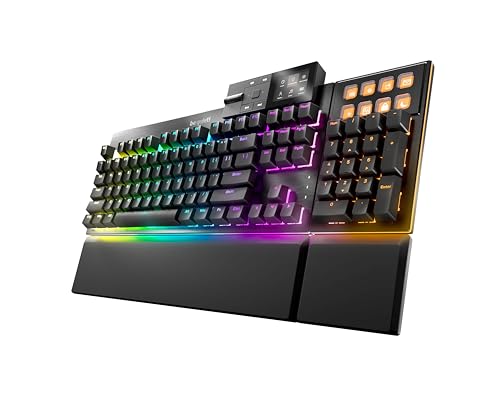
- Best Dampened Mechanical: be quiet! Dark Mount Tactile Mechanical Gaming Keyboard
- Best for Video Calls and Recording: Logitech MX Keys S Wireless Low Profile Keyboard
- Best TKL for Late-Night Typing: Keychron B33 Silent Wireless Keyboard
- Best Low-Profile: Kensington Slim Type Wireless Quiet Keyboard
- Best for Small or Shared Desks: Logitech MK470 Slim Wireless Combo Compact Keyboard and Mouse
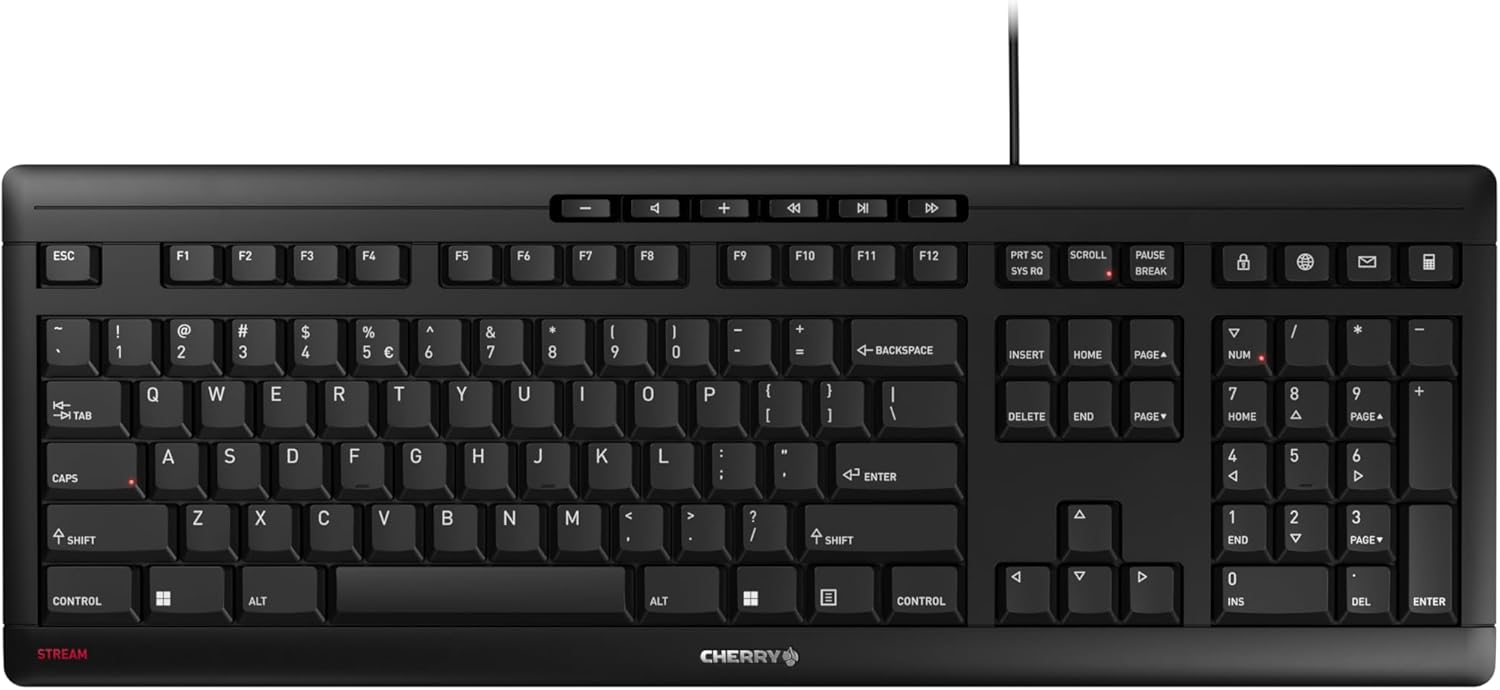
- Best Wired: Cherry Stream Keyboard Wired Slim Whisper Quiet
- Best Full-Size for the Office: Logitech Signature Slim K950 Wireless Keyboard with Quiet Typing
What Actually Makes a Keyboard Loud (or Quiet)
Before comparing models, it helps to know what you’re actually listening for. Keyboard noise isn’t one sound — it’s at least two, and they come from different places.
Bottom-out noise vs. spring-back noise
The loudest part of most keystrokes is “bottoming out” — the moment the key hits the bottom of its travel and the switch stops. That’s the sharp clack or thock you hear on a standard mechanical board. There’s a second, quieter sound too: the spring pushing the key back up, which produces a lighter click on many switches. A genuinely quiet keyboard has to address both, not just one.
The switch is the biggest factor, but not the only one
Switch design accounts for most of the difference between a loud board and a quiet one, but it’s not the whole story. The keycaps, the plate they sit on, and the internal foam (or lack of it) all shape how the sound travels and resonates once it’s made.
Case, plate, and desk surface can amplify or absorb sound
A hollow plastic case with no internal dampening can turn even a moderate keystroke into a hollow “ping.” Boards with foam layers between the plate and the case, or a denser bottom shell, sound noticeably duller even when the switches themselves are identical. This is also where your desk comes in, which we cover further down — the same quiet keyboard can sound different depending on what it’s sitting on.
Silent/Dampened Mechanical Switches vs. Standard Mechanical Switches
If you like the tactile feel of a mechanical board but need it quieter, silent (dampened) switches are the most direct fix. These switches use a small rubber or silicone dampener built into the stem or housing that cushions the moment of bottom-out and softens the spring’s return. The result is a mechanical keyboard that’s noticeably quieter than a standard linear, tactile, or clicky switch, without switching to membrane construction.
The trade-off is real, though: dampened switches tend to feel a little mushier at the bottom of the stroke, and some typists find the tactile bump less crisp than on a non-dampened switch. If you’re used to the sharp feedback of a standard mechanical keyboard, a silent-switch board will feel different, not just quieter. Products like the be quiet! Dark Mount Tactile Mechanical Gaming Keyboard build this dampening in at the switch and case level, using layered internal padding specifically to cut down on that reverberating “ping” mechanical boards are known for.
Membrane and Scissor-Switch Keyboards: Usually the Quietest Option
If raw quietness matters more than mechanical feel, membrane and scissor-switch keyboards are usually your quietest starting point. Instead of individual mechanical switches, these boards use a rubber dome (membrane) or a scissor mechanism under a shorter key travel distance. Less travel and a soft rubber cushion at the bottom of the stroke mean there’s simply less mechanical energy to turn into sound.
This is why so many boards marketed specifically as a quiet keyboard — including budget wired models and full-size wireless combos — use membrane or scissor construction rather than mechanical switches. The HP 150 Wired Keyboard and the Cherry Stream Keyboard Wired Slim Whisper Quiet both lean on this approach, and it’s a big part of why they’re inexpensive: scissor and membrane mechanisms are simpler and cheaper to produce than a full set of individually dampened mechanical switches.
The trade-off is feel and longevity. Scissor and membrane keys generally have shorter travel and less consistent tactile feedback than mechanical switches, and heavy typists sometimes report the domes wearing out or feeling mushy after extended daily use. For most office and home use, though, that trade-off is a fair price for something that costs a fraction of a dampened mechanical board.
O-Ring Dampeners: The DIY Add-On Fix
If you already own a mechanical keyboard and don’t want to replace it, O-ring dampeners are the most common add-on fix. These are small rubber rings that slide onto each switch stem, under the keycap, so the keycap lands on a cushioned ring instead of striking the switch housing directly at the bottom of the stroke.
O-rings genuinely reduce bottom-out noise — often noticeably — but they also shorten total key travel, since the ring stops the keycap earlier than the switch normally would. That changes typing feel: keys feel shorter and slightly softer, and some people find this makes fast typing feel less precise. It’s a reasonable middle ground if you’re not ready to buy a dedicated quiet keyboard, but it’s a compromise, not a full fix — it won’t touch the spring-back sound or any resonance coming from the case itself.
Desk Surface and Typing Pad Materials Matter More Than People Expect
Even the best quiet keyboard can sound louder than it should if it’s sitting on the wrong surface. A hard, hollow desk — glass, bare metal, or thin uncovered wood — reflects and amplifies sound instead of absorbing it. Every keystroke picks up a bit of extra resonance from the desk itself, on top of whatever noise the keyboard makes on its own.
A padded desk mat or typing pad underneath the keyboard absorbs some of that vibration before it turns into sound. It won’t fix a genuinely loud switch, but it takes the edge off resonance, and it’s often the lowest-cost upgrade available if you already own a keyboard you like otherwise. If you’re setting up a desk specifically to keep noise down, pairing a keyboard with a padded surface — see our desk mats guide for sizing and material options — usually does more than switching keyboards alone.
How Quiet Is “Quiet”? Setting Realistic Expectations
No keyboard is silent. Even the quietest membrane board or the most heavily dampened mechanical switch still makes some sound — keys have to move and stop somewhere. When a listing says “silent” or “whisper quiet,” it means noticeably reduced compared to a standard keyboard, not soundless.
How quiet you actually need depends on the use case. A shared office might just need a keyboard that doesn’t carry across a few desks — most silent-switch or membrane boards clear that bar easily. A video call microphone is more sensitive and can pick up keystrokes a coworker across the room wouldn’t hear, so a genuinely dampened board and a decent desk surface both matter more there. A sleeping roommate or a voice recording session is the strictest test of all, since even a soft, consistent click can be distracting in an otherwise silent room. Calibrate your expectations to your actual situation rather than assuming any quiet keyboard will be inaudible.
Matching a Quiet Keyboard to Your Use Case
Shared or open-plan offices
For a shared office, you mostly need something that won’t carry across a few desks and doesn’t rattle when you type fast. A full-size wireless option like the Logitech MK295 Full Size Silent Wireless Keyboard Mouse Combo or the Logitech Signature Slim K950 Wireless Keyboard with Quiet Typing covers this well without asking you to give up a full-size layout or number pad.
Video calls and recording
If a microphone is going to pick up your typing, go a step further than “quiet enough for a coworker.” A low-profile, dampened board like the Logitech MX Keys S Wireless Low Profile Keyboard combines short travel with a build designed specifically to minimize the sound a nearby mic would catch, which makes it a solid pick for anyone who’s on calls most of the day.
Roommates and late-night typing
Late at night, in a quiet room, small sounds carry further than they do during the day. A dampened mechanical option like the Keychron B33 Silent Wireless Keyboard gives you a tactile TKL layout without the sharp clack of a standard mechanical board, and a compact low-profile board like the Kensington Slim Type Wireless Quiet Keyboard works well on a small nightstand-adjacent desk where every bit of extra noise stands out.
How We Evaluated These Quiet Keyboards
Every keyboard on this list was pulled from real, current Amazon listings rather than assumed from a spec sheet. We looked at how each product is actually marketed — listings that explicitly call out silent, whisper-quiet, or dampened typing — combined with switch or construction type (dampened mechanical, membrane, or scissor), build quality that affects resonance, connectivity (wired and wireless are both represented), and price spread from budget wired boards to premium dampened mechanical options. Review counts and ratings were checked as a sanity signal, not a ranking mechanism, since a quiet keyboard that’s popular but poorly reviewed for durability isn’t actually a good long-term pick.
Common Mistakes When Shopping for a Quiet Keyboard
- Assuming “wireless” automatically means quiet — connectivity has nothing to do with switch or case noise; a wireless mechanical board with standard switches can be just as loud as a wired one.
- Ignoring stabilizer rattle on mechanical boards — the space bar and enter key often rattle even when the rest of the switches are dampened, and that rattle can be more noticeable than the actual keystrokes.
- Skipping the desk surface entirely — buying a genuinely quiet keyboard and then setting it on bare glass or a hollow desk undercuts a big part of the improvement.
- Expecting silence instead of a reduction — going in expecting a completely silent keyboard sets you up to be disappointed by even the best dampened options.
- Assuming low-profile automatically means quiet — a low-profile mechanical board can still use standard, undampened switches; profile height and noise level are separate specs and need to be checked separately.
Quiet Keyboard Buying Checklist
- Check whether the listing specifically mentions silent, dampened, or whisper-quiet switches — don’t assume from the photos alone.
- Decide whether you want mechanical tactile feel (dampened switches) or the simpler quietness of a membrane/scissor board.
- Read a handful of recent reviews for mentions of stabilizer rattle, especially on the space bar and enter key.
- Plan for a padded desk mat or typing pad if your desk surface is hard, glass, or hollow-sounding.
- Match the noise level to your actual use case — shared office, video calls, or a quiet room at night each have a different bar.
- If you already own a mechanical keyboard you like, consider O-ring dampeners before buying a new quiet keyboard outright.
- Check connectivity (wired vs. wireless) based on your desk setup, not noise — it won’t meaningfully change how loud the board is.
Frequently Asked Questions
Is a mechanical keyboard ever really quiet?
Yes, with the right switches. A mechanical keyboard built with silent/dampened switches — like a rubber-cushioned stem — can get noticeably closer to membrane-level quiet while keeping a tactile mechanical feel. It won’t be as quiet as a membrane board, but it’s a real and popular middle ground for people who don’t want to give up mechanical feedback.
Are membrane keyboards always quieter than mechanical keyboards?
Generally, yes, because of shorter key travel and a rubber dome that cushions the bottom of the stroke. A standard mechanical keyboard with undampened switches will almost always be louder than a comparable membrane board. A mechanical keyboard with silent switches can close that gap significantly, though.
Do O-rings actually make a difference?
Yes, but with a trade-off. O-ring dampeners noticeably reduce bottom-out noise on an existing mechanical keyboard, but they also shorten key travel, which changes typing feel. They’re a reasonable low-cost fix rather than a full replacement for a purpose-built quiet keyboard.
Does a desk mat actually reduce keyboard noise?
It helps with resonance, not the switch noise itself. A padded surface absorbs some of the vibration that a hard, hollow desk would otherwise amplify, so the same keyboard can sound noticeably duller on a mat than on bare glass or thin wood.
Is a wireless keyboard quieter than a wired one?
Not inherently. Connectivity doesn’t affect switch or case noise at all. A wireless keyboard is only quieter than a wired one if it also happens to use dampened switches or membrane construction — the wireless part itself is unrelated to sound.
Will a quiet keyboard be too soft for gaming?
Not necessarily. Dampened mechanical switches still register the same actuation points as standard switches; the difference is in sound and feel, not responsiveness. Some gamers do prefer the sharper feedback of undampened switches, but a quiet keyboard with silent mechanical switches is still a fully functional choice for gaming.
A quiet keyboard is rarely a single-part fix — it’s usually a combination of switch type, build quality, and the desk it sits on. Start with a board that’s actually built and marketed for quiet typing, add a padded surface if your desk is hard or hollow, and keep your expectations realistic: the goal is noticeably quieter, not silent. If you’re also weighing shape and comfort alongside noise, our ergonomic keyboards for writers guide and our low-profile keyboards guide cover those angles, and our backlit keyboards guide is a useful next stop if you’re also typing in low light during those quiet late-night sessions.